higgsfield alternatives

Higgsfield is an AI video platform with tools for cinematic shots, camera control, and character consistency. Alternatives include Runway and Kling AI for video generation, and Pika for video effects. With OiiOii, you can reuse a character reference across shots, revise the storyboard, and edit the clips together on one canvas.

Describe your story or add your reference images.
Prefer the full creator?

Higgsfield and OiiOii compared by creative task

Animate a reference image

Higgsfield: Animate a still with image-to-video tools and add video effects.

OiiOii: Start with a reference image and describe how the subject and camera should move.

Keep a character recognizable across shots

Higgsfield: Use Soul ID to maintain a character’s appearance across generated images.

OiiOii: Save a character reference as an asset, then reuse it when planning and generating later shots.

Develop a story

Higgsfield: Build story projects with Short Drama and Cinema Studio.

OiiOii: Revise the shot list and storyboard, then generate the clips for your sequence.

Edit and extend the project

Higgsfield: Edit video with Canvas and explore motion with AI Motion Designer.

OiiOii: Arrange clips on an editable canvas and reuse Skills, templates, and Motion across projects.

Higgsfield brings together Cinema Studio, Soul ID, video effects, and editing tools. OiiOii connects reusable character assets, editable storyboards, and clips in one Agent-guided workspace.
Higgsfield and OiiOii monthly pricing

Monthly billing (USD)

Entry plan

Higgsfield: Starter · $19/month

OiiOii: BASE · $20/month

Entry plan credits

Higgsfield: 270 per month

OiiOii: 1,000 per month + up to 310 from daily check-ins

Next plan

Higgsfield: Plus · $59/month after the introductory month

OiiOii: STAR · $46/month

Next plan credits

Higgsfield: 1,200 per month

OiiOii: 3,000 per month + up to 930 from daily check-ins

Credit costs per generation depend on the platform, model, and settings.

OiiOii personal plan pricing

Plan (USD)

BASE

Per month: $20

Per quarter: $48

Per year: $182

STAR

Per month: $46

Per quarter: $129

Per year: $513

PRO (13.6k credits/month)

Per month: $156

Per quarter: $419

Per year: $1,320

APEX (31.9k credits/month)

Per month: $363

Per quarter: $899

Per year: $3,096

Quarterly and yearly prices are totals for the billing period.

Make character references useful across shots

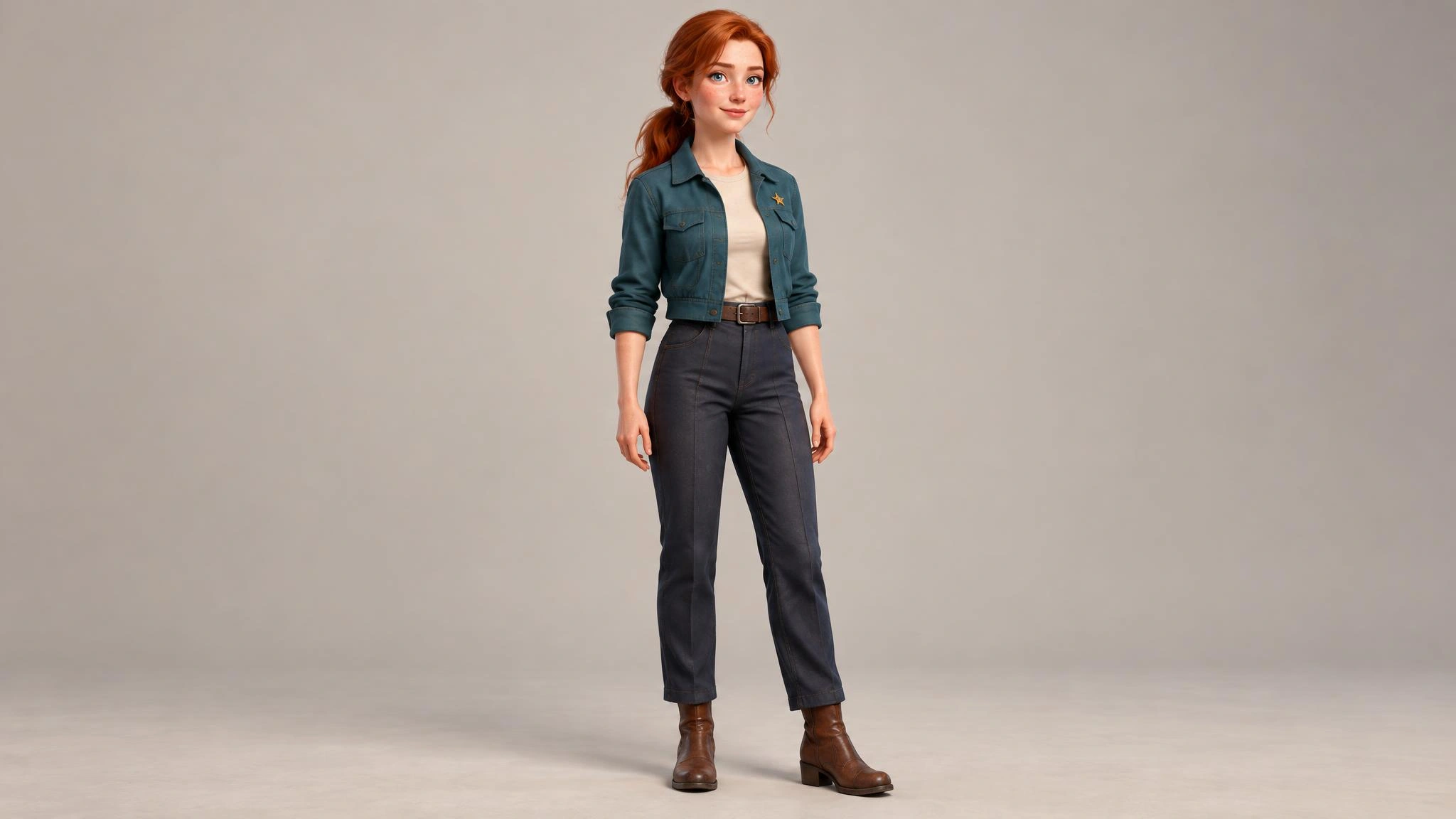
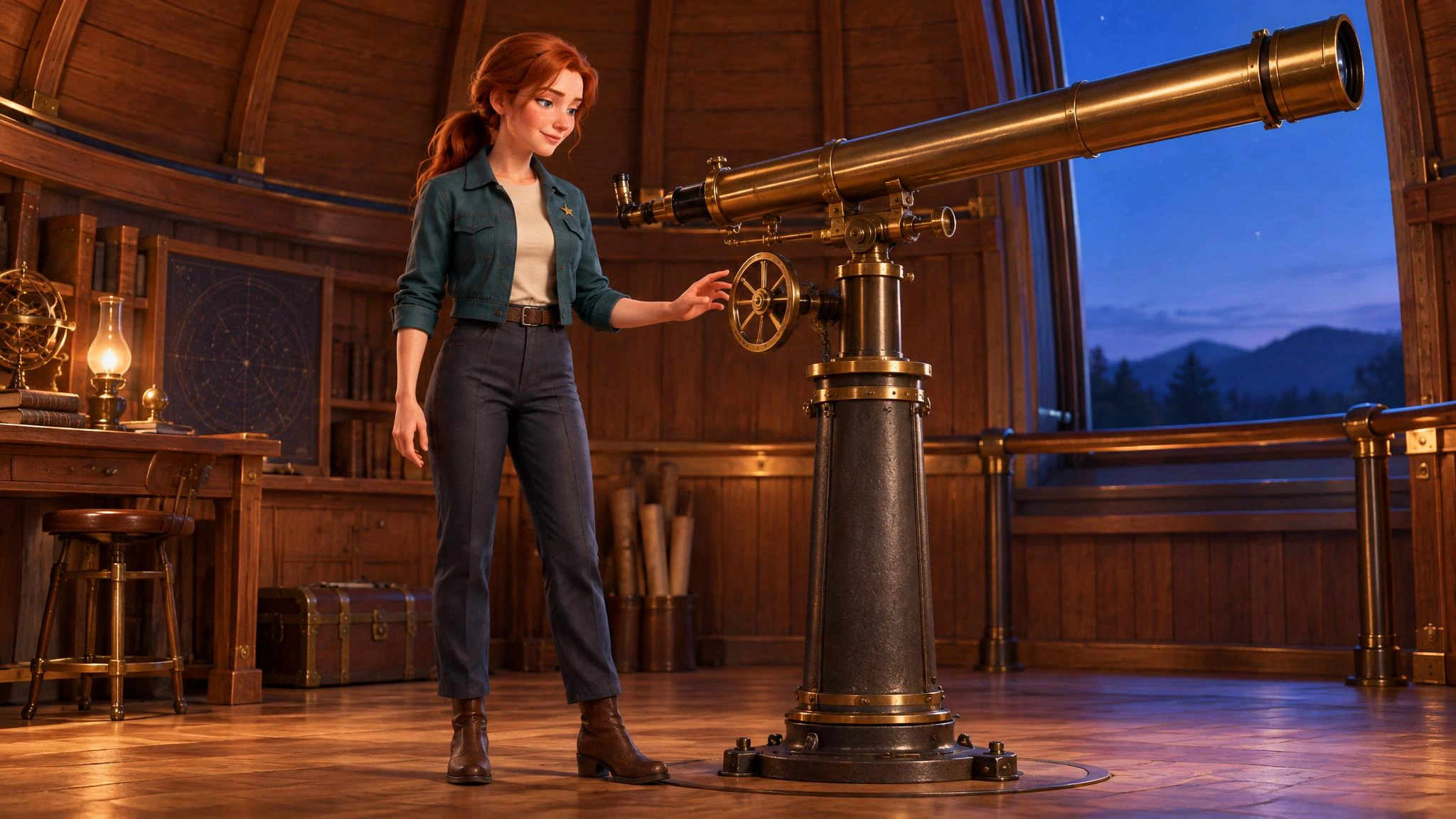
The first image is the character reference. Look at the keeper’s copper hair, teal jacket, and brown boots. The second image shows her beside the telescope in the observatory. Compare her hair and jacket across the two images to see which details carry into the scene.

To try this in OiiOii, save your character reference as an asset and attach it to each storyboard shot that features the character.

Observatory keeper with copper hair, a teal jacket, and brown boots
The keeper beside a brass telescope in a wooden observatory at dusk

From a still image to a purposeful shot

For image to video AI creation, describe what should change after the opening frame. With an observatory scene, you might ask the keeper to turn the telescope wheel and pause to inspect the alignment. Separate her action from the camera instruction: a steady medium shot makes the hand movement easier to judge. Use the scene image as the visual reference for that request.

If the difficulty is spatial, OiiOii also supports AI 3D previs to plan positions and camera movement before developing the final look. Use that stage to clarify where the subject moves and where the camera finishes. Treat the previs as a planning reference, then assess the generated shot against the action you intended.

Test the full workflow with one short scene

1. Set a scene-sized brief

In the story workflow, give the Agent a short script with a clear beginning, action, and ending. For an observatory test, specify the keeper, the telescope adjustment, and the final inspection. Include your intended framing and style so the proposed story direction has something concrete to follow.

2. Attach the character and scene assets

Upload your reference artwork or create the character and setting in OiiOii. Save the assets and use the platform reference controls to attach them to the relevant work. Check that the keeper, telescope, and room match your intended design before asking for motion.

3. Revise the shot list and storyboard

Use the AI storyboard generator workflow to divide the scene into readable shots. An establishing view can introduce the room, a closer view can show the adjustment, and a reaction can close the sequence. Edit descriptions or reorder shots before generating their video versions.

4. Generate, revise, and assemble the sequence

Generate the planned shots, inspect the keeper and telescope across each transition, and revise the shots that need attention. Arrange the selected clips in the editing workflow, add the voice or music your scene needs, and download the finished sequence. This tests both generation and the work that follows it.

Compare the result you can actually use

Keep the same brief and reference artwork when testing a new tool. Judge whether the action is readable, the character remains recognizable, and the edit tells the intended story.

Animated robot story sequence

Short tram arrival edit

Note which stage needs revision: reference design, storyboard, motion, or assembly. A useful alternative is one whose controls help you improve that stage, rather than simply producing an attractive opening frame.

Short tram arrival edit

Questions about choosing a Higgsfield alternative

Which Higgsfield alternative lets me reuse a character across multiple shots?

OiiOii lets you save a character reference as an asset and attach it to later storyboard shots. The observatory example above shows how to compare the original character design with the character in a new setting.

What kind of reference image should I upload?

Use artwork that clearly shows the character’s face, clothing, and distinctive accessories. A full-length view is useful when the outfit matters. Use the reference to check those details in each generated shot.

Can I build a longer video instead of generating only one short clip?

Yes. Develop a shot list, create the corresponding video clips, and assemble them into a sequence. You can change individual shots and their order as the story develops. The length of the assembled project is different from the duration available for a single generation.

Can I try video creation in OiiOii without paying?

Yes, when your free Credit balance covers the selected generation cost. Credits claimed through the daily free reward can generate videos just like purchased Credits. Different models consume different amounts, and model access can depend on your account. This is not an unlimited free-generation offer.

How can I create the camera movement I want in OiiOii?

Describe the framing, the subject’s movement, and the path you want the camera to follow. For example, ask for a steady medium shot while the keeper turns the telescope wheel, or a slow move toward the telescope. Use a reference image or AI 3D previs to clarify the setup, then check the generated shot against your intended movement.

Explore the next part of your workflow

Explore image-to-video creation when you already have a visual reference, or the AI storyboard generator when your next task is planning a sequence.

Build the scene you want to make next

Bring one script or reference image to OiiOii and work through the shots your idea needs.