Seedream 5.5 Is Here | Limited Time: Subscribe & Create Credit-Free for Up to 30 Days Subscribe Now

AI Short Drama Generator

Turn your story idea or script into a short drama with recurring characters, editable shots, dialogue, and a finished video. Shape the reveal, refine the performances, and bring each scene together in OiiOii.

Describe the characters, their conflict, and the moment that changes everything.
Prefer the full creator?

Give your AI short drama a moment worth watching

A compelling scene changes what the audience believes. Start with a conflict, let the reaction land, then reveal the detail that turns the relationship around.

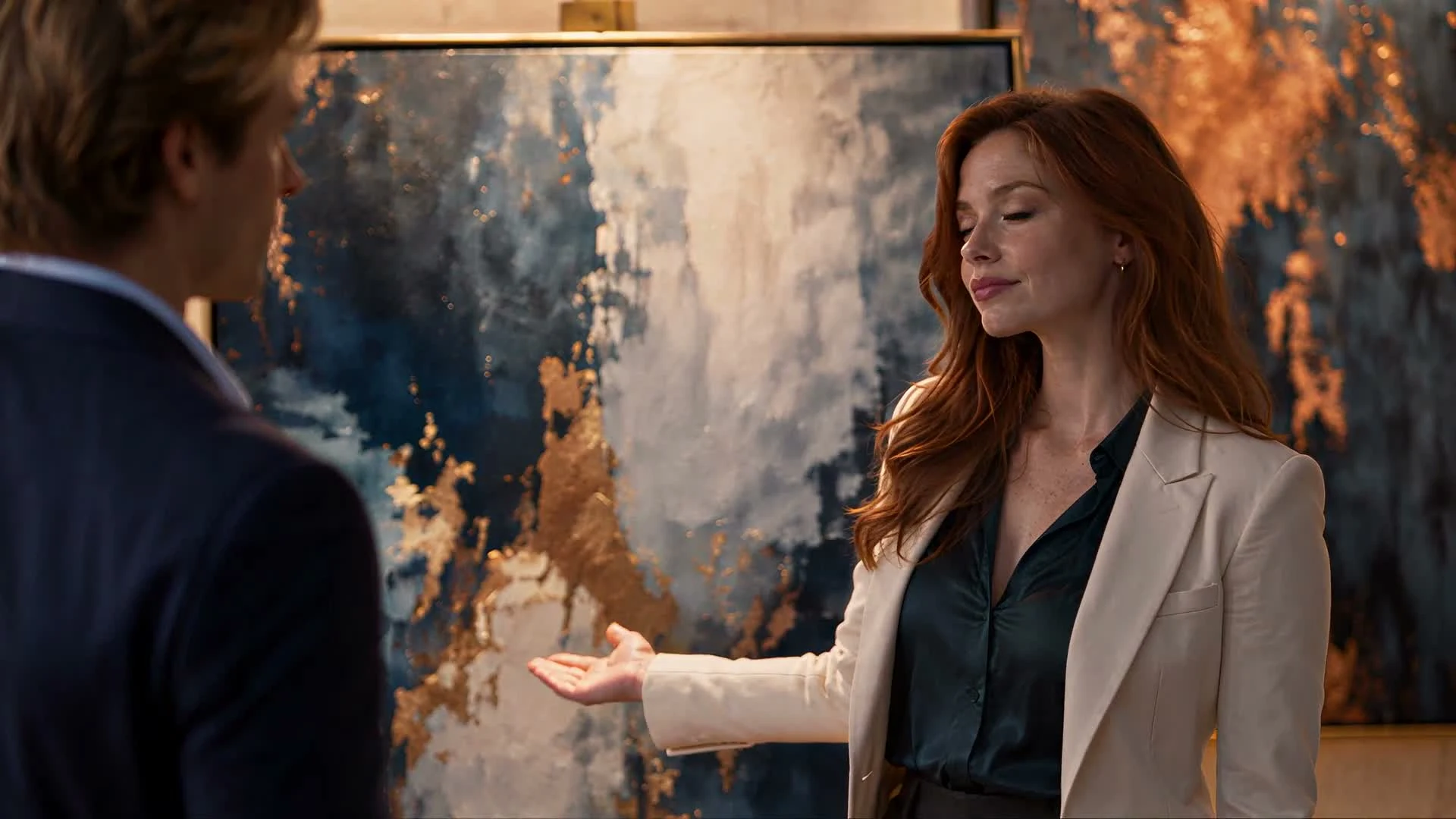
An artist and a collector confront each other beside an abstract painting in a gallery.

The artist nobody recognized

An artist stands beside her painting at a private gallery opening. A collector challenges her presence. Her answer changes who has the authority in the room. Build the scene around the interruption, her reply, and his reaction.

Meet the leads before directing the scene

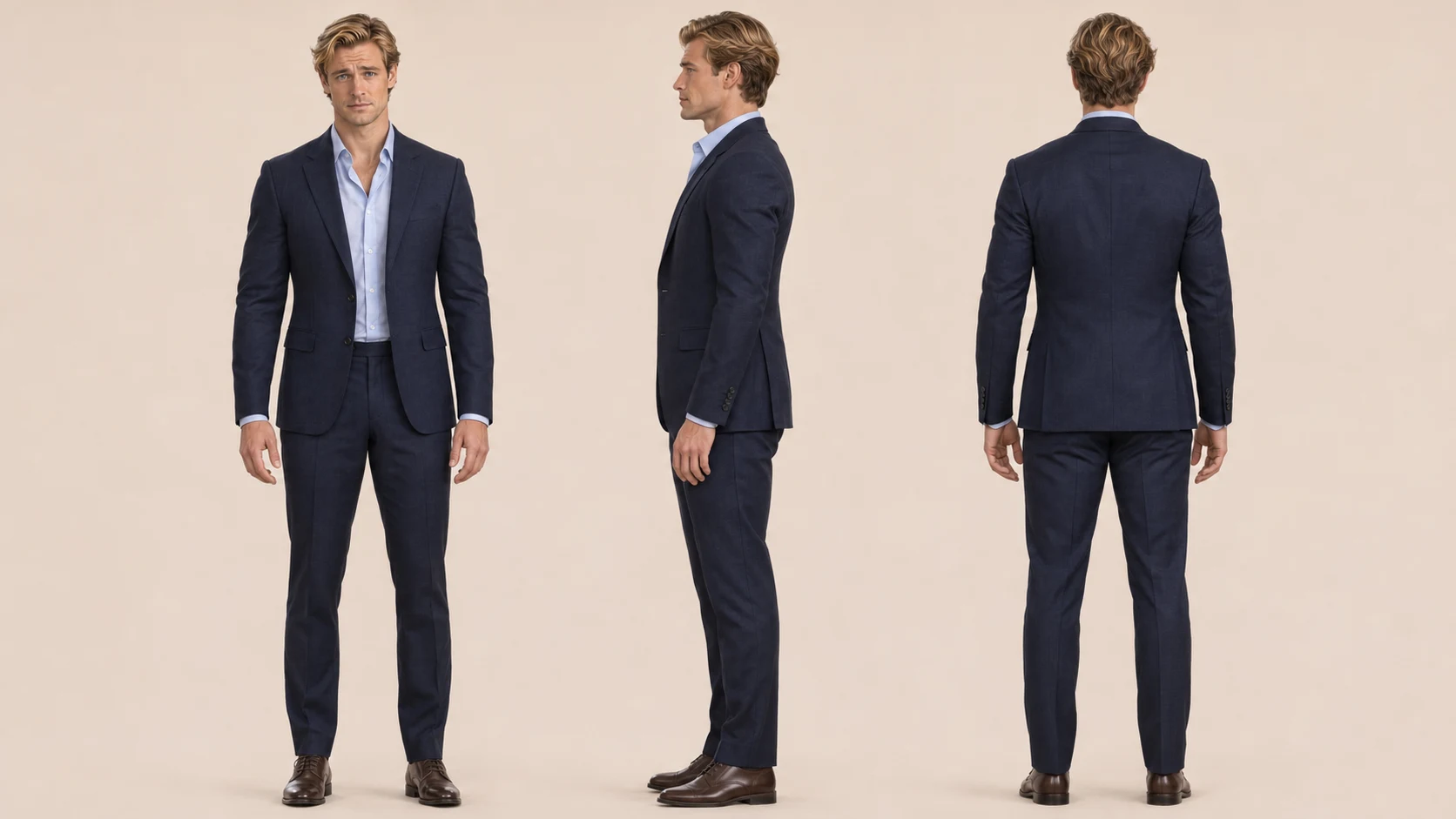
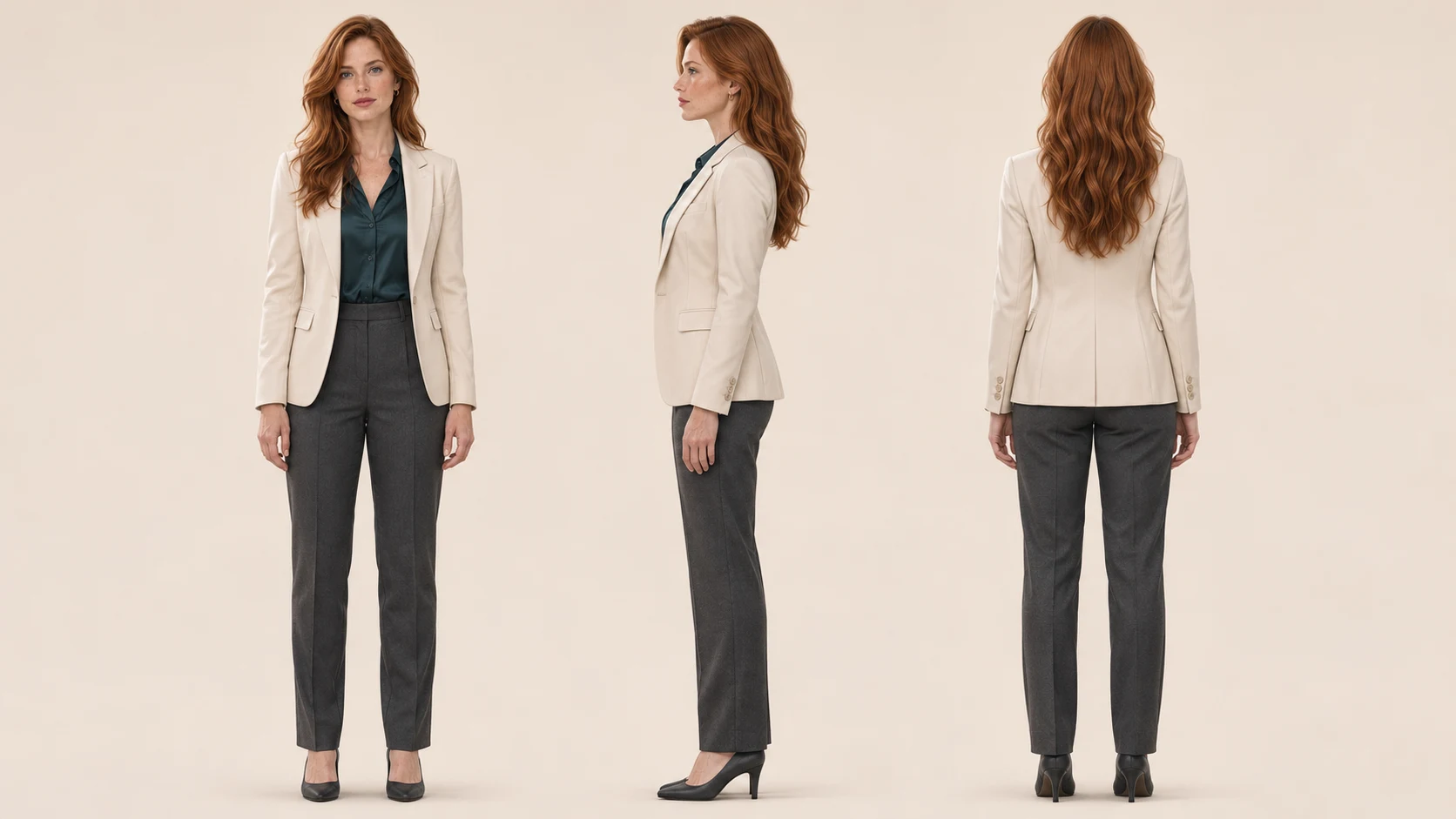
Front, side, and back views turn the gallery cast into reusable references. Keep faces, hairstyles, and wardrobe consistent across shots, and review the result rather than assuming a reference guarantees continuity.

Front, side, and back views of Mara in a cream blazer, teal blouse, and charcoal trousers.

Mara, the artist

Copper-red hair, a cream blazer, a dark teal blouse, and charcoal trousers define Mara's look. Use the three views to plan entrances, close-ups, and reverse shots.

Front, side, and back views of the blond collector in a navy suit and pale blue shirt.

The gallery collector

Swept blond hair, a navy suit, and a pale blue open-collar shirt distinguish the collector. Match the silhouette and costume details when the camera moves behind him.

Direct the reaction that makes the reveal work

Use OiiOii as an AI drama video generator with room to direct: edit shot descriptions, change their order, and regenerate a selected shot. In the gallery, let Mara's reply precede the collector's reaction. In the ballroom, leave room for recognition. In the jewelry-box and divorce scenes, show the important prop before the response. Compare revised shots with their neighbors before assembling the scene.

Plan what each shot adds

Interruption

The collector challenges the artist's presence at the opening.

Establish both people and the painting before moving closer.

Decision

Mara stops, meets his gaze, and holds her ground.

Keep the pause brief; her response should feel deliberate.

Reveal

Mara indicates the painting and identifies herself as its artist.

Connect her gesture to the painting, then let her line land.

Reaction

His certainty gives way to embarrassment.

Hold long enough to read the change, then end the scene.

Use this scene breakdown to give every cut a job. It is a story-planning example you can adapt to your own drama.

A short drama AI workflow from idea to final cut

Bring a premise, an outline, or a finished script. OiiOii connects the writing, visual assets, shots, and audio in an editable production workflow.

Set the conflict

Tell OiiOii who wants what, what stands in the way, and how the scene ends. Review the script and dialogue before building the visuals.

Build the cast and setting

Create or import character, scene, and prop assets. Choose a visual style and frame for the story, then reference the assets in the shots that need them.

Shape the shot sequence

Review the shot list and storyboard images. Add, remove, reorder, or revise shots, then generate the video clips you want to use.

Finish the scene

Preview dialogue, voice, and music with the footage. Edit the clips into a clear sequence, check the transitions, and download the finished video.
Build the next episode around the consequence

An AI drama generator becomes more useful when the next scene follows from the last. Develop a longer script as episodes, reuse the cast and settings, and decide what each ending leaves unresolved.

Give each episode its own turn

Use the long-script episode workflow to organize the story. Review where each episode begins and ends; a break should follow a discovery, decision, or consequence.

Make the dialogue lead the edit

Preview voices and music alongside the scene. Keep the reveal audible, allow space for the other character to react, and check that music supports the emotional change.

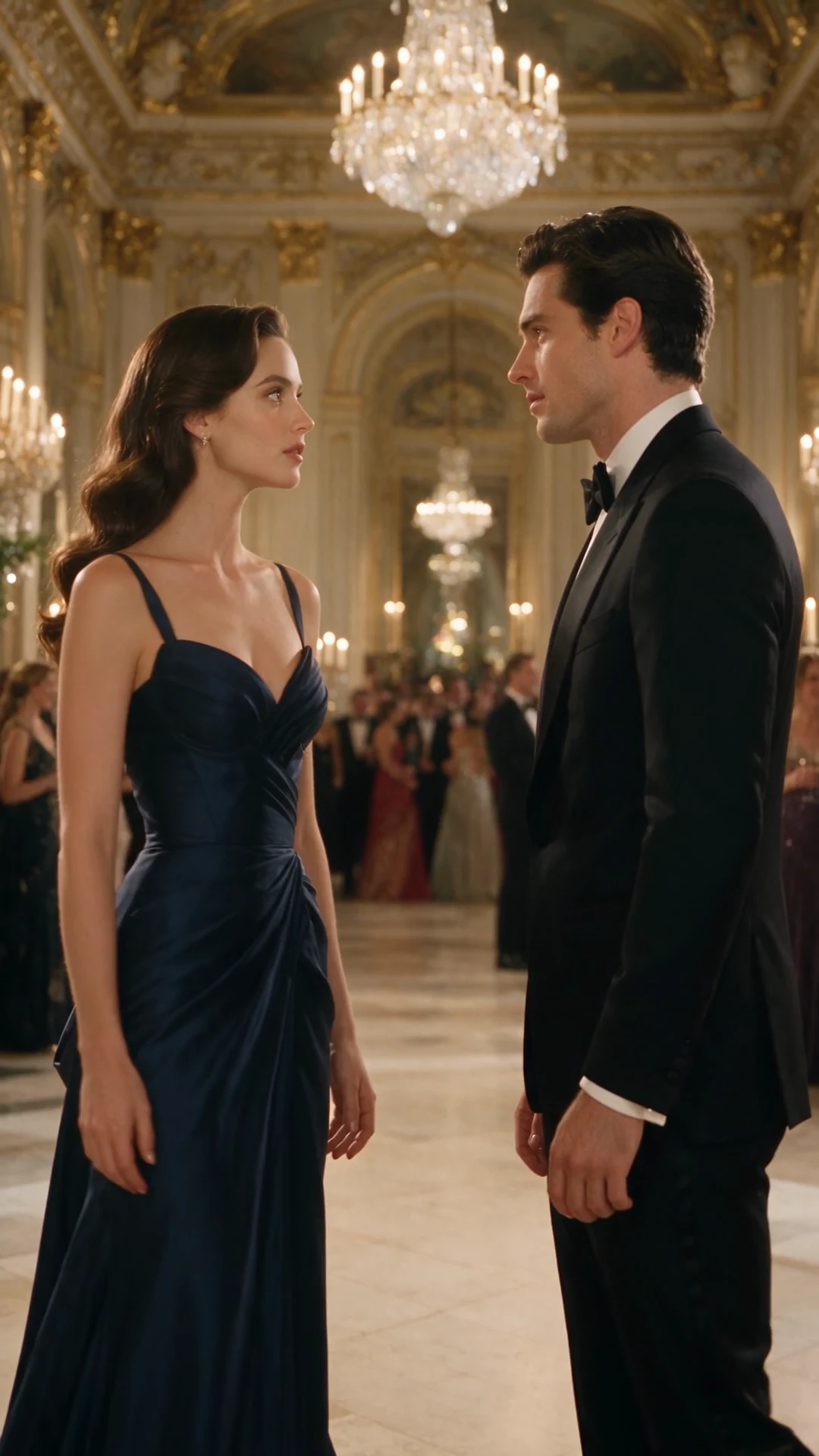
Romantic tension in a ballroom reunion

A different cast and a different turning point: recognition, hesitation, and a reply.

A woman in a navy gown and a man in a tuxedo meet in a chandelier-lit ballroom.

Ballroom reunion

Two people meet face to face at a gala. Close-ups move attention from the setting to their expressions. Let the pause between their lines carry the unresolved relationship.

Two ways to reveal who holds the power

Show a key prop before the reaction to turn a confrontation into a dramatic scene. These are separate stories with their own casts.

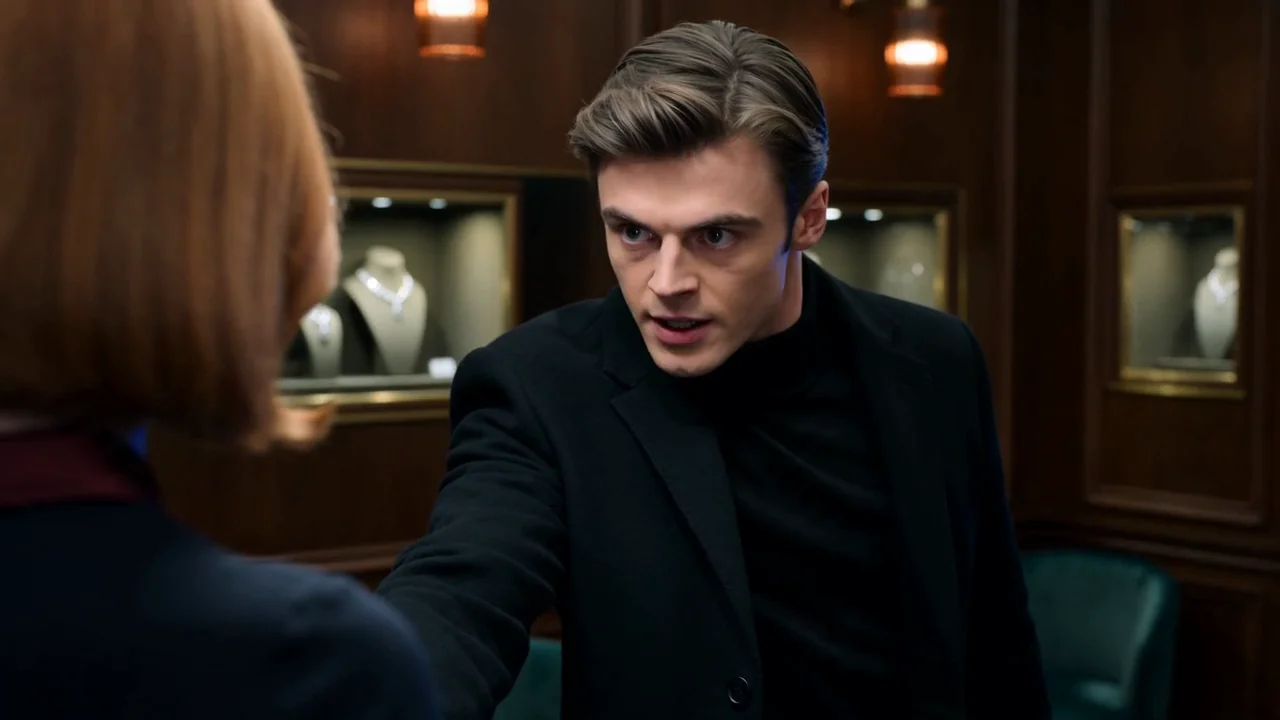
A jewelry-counter confrontation turns when a police badge is revealed in the box.

The police badge in the jewelry box

A demand to open a jewelry box becomes a trap when the badge is revealed. Build the sequence around the object, the discovery, and the intruder's changing expression.

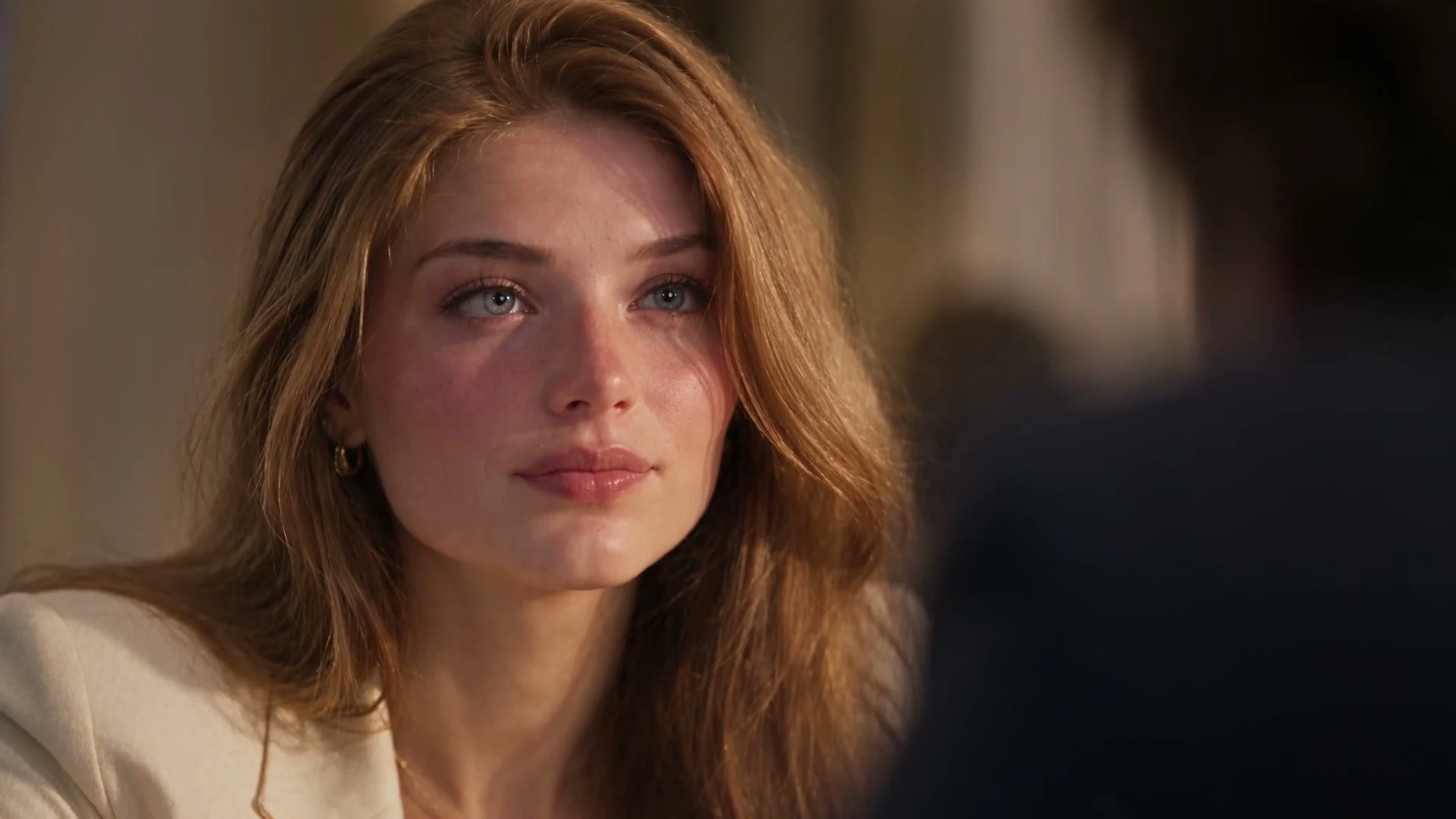
A woman in a cream blazer and a man in a navy suit negotiate across a hotel table.

The divorce negotiation

A couple negotiate their separation across a hotel table. An agreement and a room card become focal points as the balance of power changes. Link dialogue and reactions so the reversal reads clearly.

Try a different visual style

Want to tell the story through animation? Explore OiiOii's AI Animation Generator for character-led animated scenes.

AI Animation Generator

Develop a stylized version of your story with animated characters and scenes.

AI short drama questions

What should I prepare before creating an AI short drama?

Start with the main character, their goal, the obstacle, and the ending or reveal. Add the setting, visual style, frame orientation, and any dialogue you want to keep. You can begin with a short idea and develop the script in OiiOii, or bring an existing script and character references.

How can I keep recurring characters recognizable across scenes?

Reuse the same character assets and reference them in the relevant shots. Keep a clear record of hairstyle, clothing, accessories, and any intentional changes between scenes. Review the generated shots together for face, wardrobe, and prop continuity; references guide the result, but each shot still needs checking. Front, side, and back reference views help describe the same character from different camera angles; each generated shot still needs checking.

Can I change one scene without rebuilding the whole drama?

You can edit a shot description, regenerate selected shots, and compare generation history in OiiOii. Start with the shot that needs work, then check the adjoining shots. A changed position, prop, or line of dialogue may also require an adjustment to the surrounding sequence.

Can I develop a longer script as separate episodes?

Yes. OiiOii supports long-script episode organization with character, scene, and prop assets. Review the episode boundaries and keep track of what changes after each ending. Reuse the relevant assets as you develop later episodes rather than redefining the cast from scratch.

How do I add dialogue and music to a short drama?

Use OiiOii's voice and music workflows alongside your video shots. Preview the chosen voices, revise dialogue where needed, and review the audio with the edit. For a reveal, leave room for the response and keep the music below the important line; available voice controls depend on the selected workflow and model.

Can I download the finished short drama?

OiiOii supports downloading individual clips and completed videos. Review the assembled scene before downloading: watch the cuts, listen to every line, and check any on-screen text. Choose the output options available in your project.

Your next short drama starts with a turning point

Bring the idea. Build the cast, direct the shots, and shape the final scene.