AI YouTube Shorts Generator
Turn an idea, script, or character image into an original YouTube Short with OiiOii. Develop the script with an AI Agent, build vertical scenes, add narration, and edit the sequence in one workspace. You can shape the opening, revise individual shots, and download the finished video for your channel.
Describe the YouTube Short you want to create.
Prefer the full creator?
Give one small story a clear ending
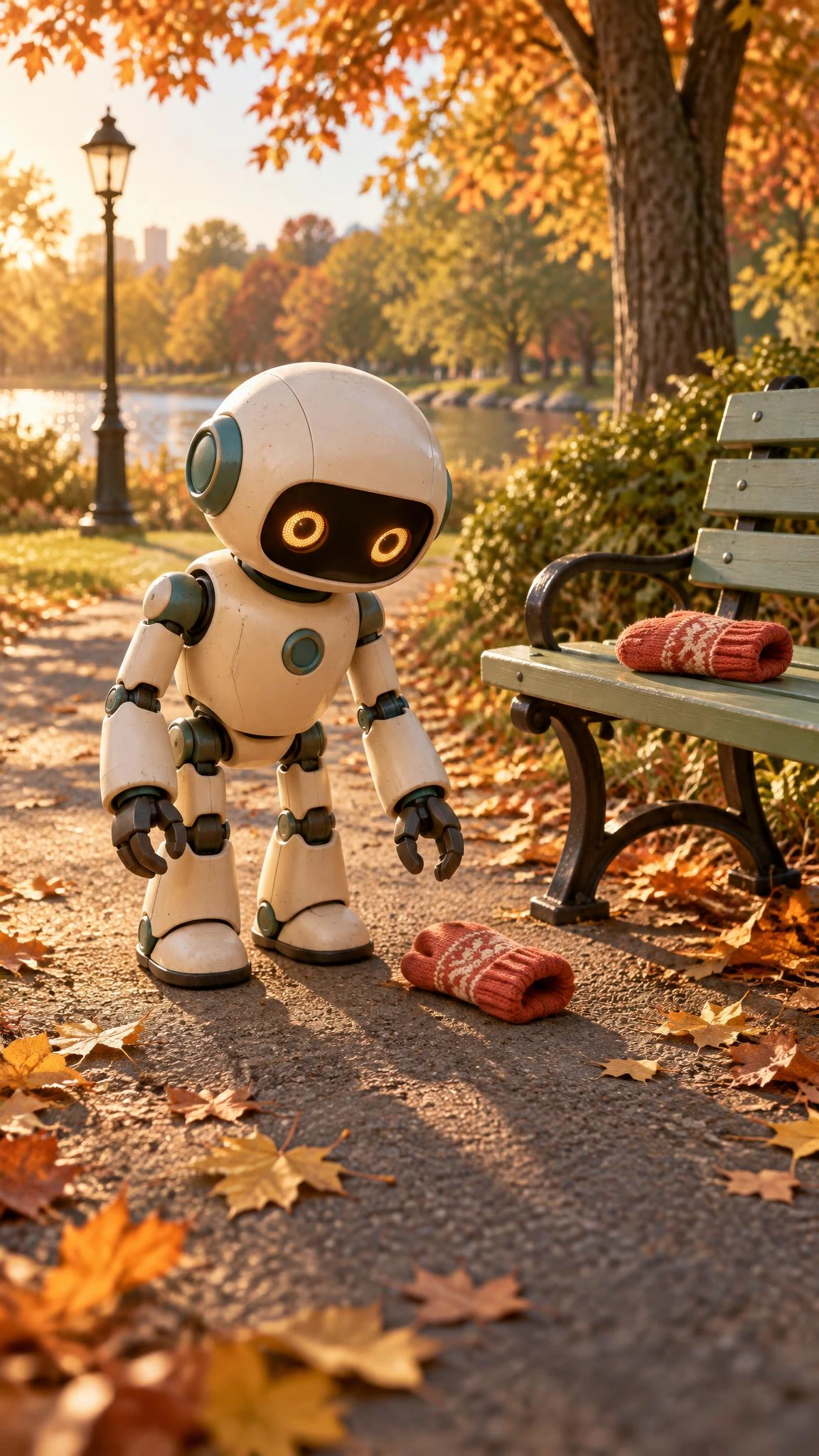
A useful Short gives viewers something to follow: a question, an action, and a payoff. Try a tiny park robot that notices a red mitten on the path and returns it to a bench beside its matching mitten. The opening makes the missing pair visible; the return resolves the story without needing a long explanation.
Build the Short around that simple progression, then use OiiOii to create the character, organize the shots, and assemble the result. A single focused action leaves room for the viewer to notice expression, movement, and the final reveal. For a series, keep the robot reference and change the small problem it solves in each episode.
Animated result
Start with the material you already have
An idea to develop
Describe the subject, audience, and ending you want. Ask the Agent to develop a short script with a visible opening and one main event. Keep the first draft focused enough that every scene advances the same story.
A script to visualize
Paste your own script and identify the lines or facts that must stay. Refine the shot descriptions separately from the narration, so you can change the visuals without losing the message. For an explainer, verify factual claims before turning them into scenes.
An image to build on
Upload a character image or reuse an asset from your library, then reference it in the relevant shots. This gives each scene a concrete visual starting point. Compare the face or silhouette, colors, and defining details across the resulting clips.
How to make AI-generated YouTube Shorts
1. Plan the opening and payoff
In an OiiOii project, tell the Agent you are making a vertical YouTube Short. Provide your idea or script, desired length, and narration preference. For the robot story, specify the separated mittens at the opening and the reunited pair at the end. Review the script before generating scenes.
2. Prepare the recurring character
Create or upload the robot reference and define the park setting. Keep the red mittens visually distinct from the background. Use the actual image references when requesting scenes, rather than relying on the character name alone. Save useful character and scene assets for later Shorts.
3. Build a vertical shot sequence
Use the shot list to separate discovery, pickup, and return. Edit the descriptions and order, then generate the scene images and video shots in 9:16. Keep the robot, its gripper, and the mitten inside the frame during contact. Inspect each result before combining it with the next shot.
4. Add narration and finish the cut
Generate or upload narration, preview the voice, and combine the selected clips in the editing workflow. Trim pauses, adjust the sequence, and add text where it clarifies the story. Watch the complete vertical video, check the last frame, and download the finished Short for upload to your channel.
Give your Short a voice without crowding the story
If you are looking for YouTube Shorts voice AI online, OiiOii lets you generate or upload narration and combine it with your video. Write one spoken idea for each visual beat. In the robot example, a line such as "Some things belong together" can land when the mittens reunite, while the pickup remains understandable through action alone.
Preview the narration alongside the cut. If a sentence runs past its scene, shorten the line or give that scene more time. Keep important text away from the subject and check it at phone size. A clear spoken line and a readable image should support the same moment.
YouTube Shorts creation FAQ
How can I make AI-generated YouTube Shorts for free?
You can generate video without paying when your free Credit balance covers the task cost. Credits claimed through the daily free reward and purchased Credits both work for video generation. Different models consume different amounts, so the number of clips you can create depends on your balance and chosen model.
How do I make AI-generated YouTube Shorts with my own script?
Provide the script in your OiiOii project and ask the Agent to organize it into shots. Keep essential wording in the narration, then refine character references, scene descriptions, and shot order. Generate the clips and edit them into a complete vertical video before downloading.
What is the best AI video generator for YouTube Shorts?
Choose around your starting material and editing needs. For an original story, look for script control, image references, vertical generation, and a way to revise scenes. OiiOii brings these steps together with narration and editing. Test one short sequence to judge whether the workflow fits your channel.
Can I make Shorts without appearing on camera?
Yes. Build an animated character, illustrated scene, or visual explainer and use narration to carry the message. You can work from a script and generated visuals without filming yourself. Keep the scenes specific to the topic so the voice and images tell one coherent story.
Build a recognizable Shorts series
Use Character Design to develop a recurring lead before making the next episode. For individual scenes from text or images, explore the AI Video Generator. Return to the same character references and visual style, while giving each Short its own opening and conclusion.
Make your next Short a complete story
Bring one idea, decide what changes by the final frame, and start building your Short in OiiOii.