Seedream 5.5 Is Here | Limited Time: Subscribe & Create Credit-Free for Up to 30 Days Subscribe Now

AI Short Film Generator

Turn an idea, synopsis, or script into a short film with OiiOii. Develop your cast, plan the shots, generate scenes, and bring them together with dialogue and music. Work through an editable story workflow, from the first story decision to the finished film.

Describe your short-film idea, synopsis, or script.
Prefer the full creator?

Build a story that moves from setup to payoff

A short film needs a reason for one shot to follow another. OiiOii helps you develop that connection through a script, reusable assets, a shot list, and editable video clips. Start with the person at the center of the story, what interrupts their plans, and what changes by the ending.

For example, a projectionist faces a blackout during the final screening at a small cinema. She finds the projector's hand crank and brings the picture back. A close-up establishes the failed machine; her reaction gives the problem meaning; the returning image delivers the payoff. Each shot contributes something the viewer needs to understand.

Explore two more short-film scenes

An AI short film connects a character, a situation, and a change across shots. These existing OiiOii scene excerpts show two different directions: a retro-future journey and a compact chase with a comic reversal. Use them as references for tone and visual storytelling, rather than as a promise that one prompt produces a complete film.

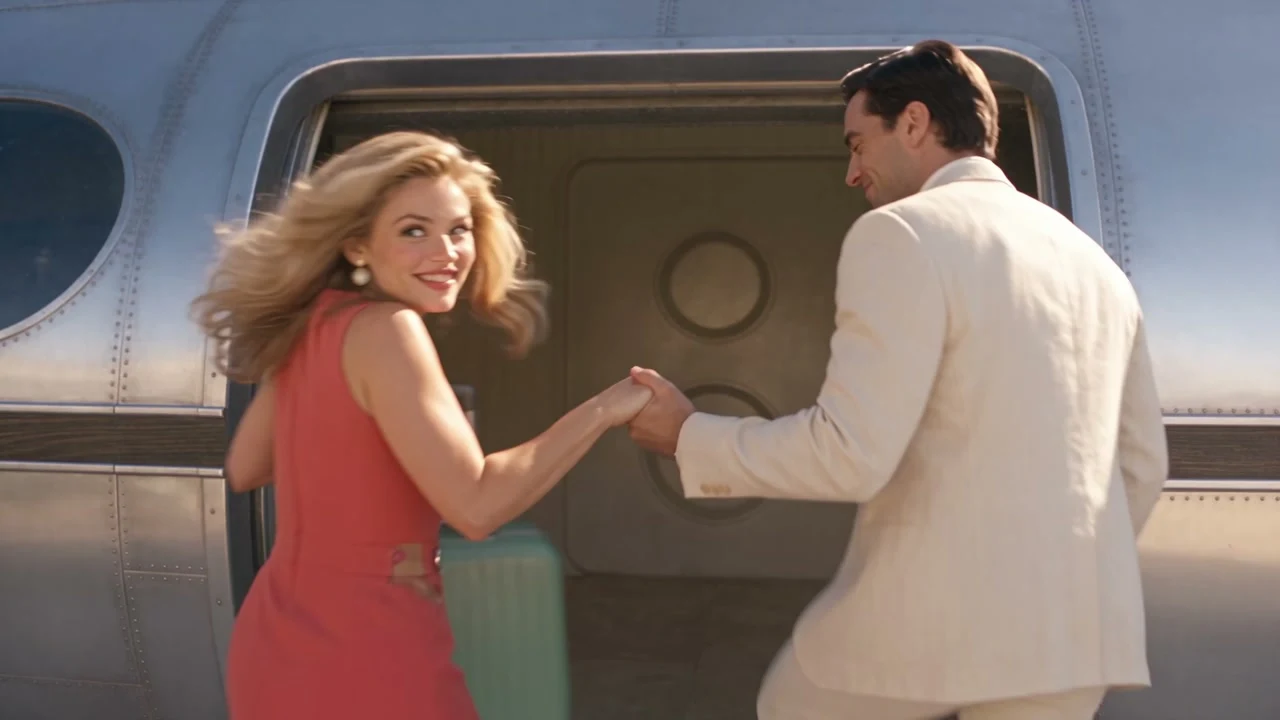
A couple in retro-future clothing at a silver cabin and a futuristic resort.

A retro-future arrival

A couple enters a silver cabin, shares a window-side moment, and appears by a futuristic resort. The coral dress, pale suit, and mint suitcase give the sequence recurring visual cues. Use this excerpt to explore setting and atmosphere, then check the intended chronology when planning your own edit.
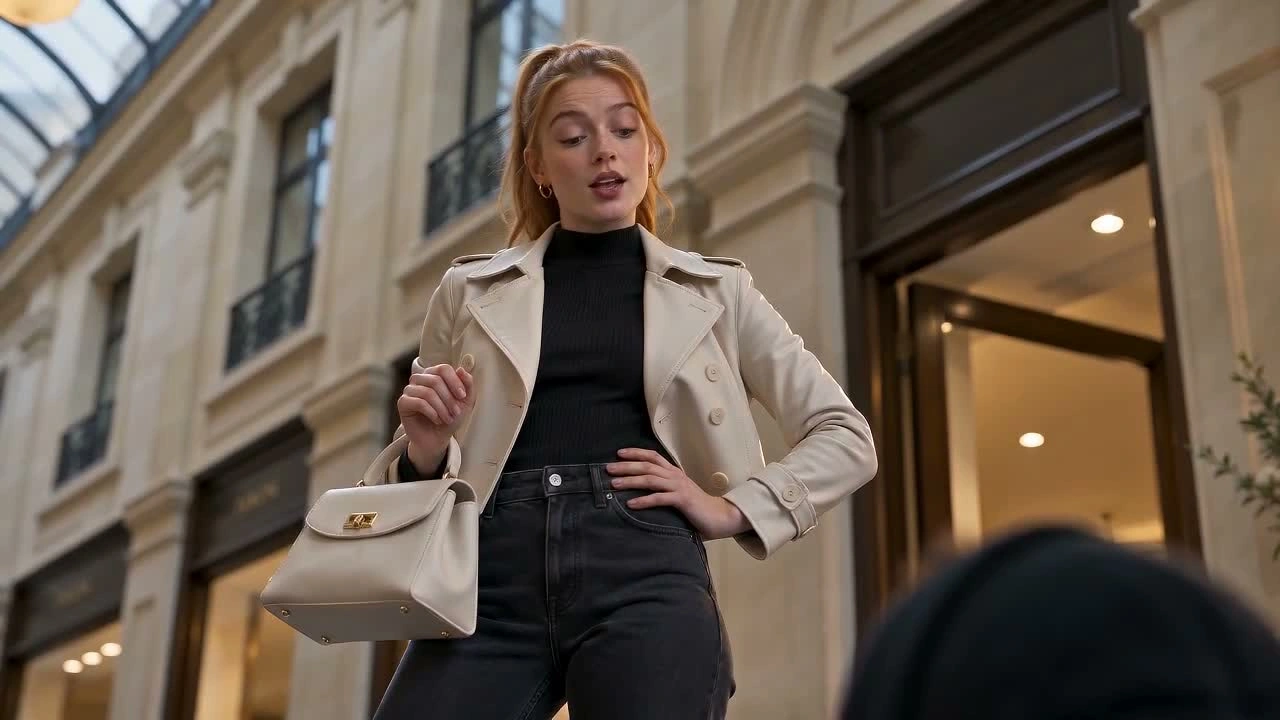
A handbag chase in a shopping arcade ends with the woman recovering her bag.

A chase with a comic reversal

A man runs through a shopping arcade with a handbag, falls by the glass exit, and the pursuing woman retrieves the bag before leaving. The escape, interruption, and response give the clip a compact narrative shape. Establish the obstacle clearly so a reversal reads as part of the story.

Use image-to-video AI to carry a scene into motion

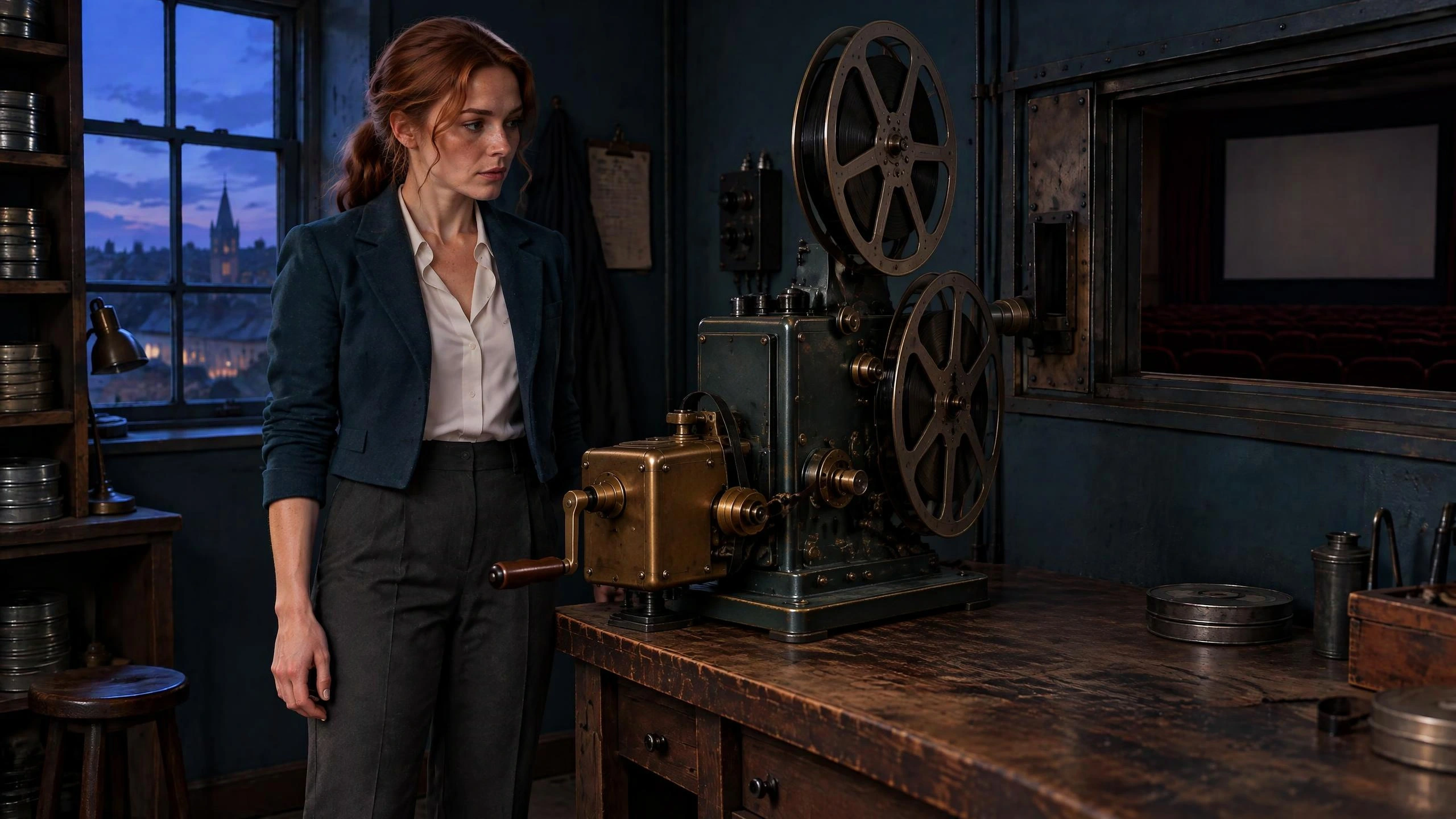
A chosen scene image gives a shot a concrete starting point. Upload or reference the image in OiiOii, then describe the action the scene needs: a hand reaching for the crank, a cautious turn, or a reaction as the projector starts. Keep the action focused enough to read clearly.

Projection booth with a hand-cranked projector and a dark cinema screen.

Original image

A projectionist restores a cinema screening by turning the projector crank.

Animated result

Reuse the character and setting references for neighboring shots. Compare the generated clips for clothing, lighting, prop position, and screen direction before assembling the sequence. Image references help guide continuity; reviewing the actual shots is still part of making the film.

How to make a short film with OiiOii

1. Develop the short-film script

Open a story creation project with your synopsis or existing script. Tell the Agent the central conflict, ending, visual style, intended frame shape, and dialogue needs. Read the resulting script and edit it directly or ask for a revision. Make sure the projectionist's decision to use the crank is established before the light returns.

2. Prepare the cast, setting, and key prop

Use the story's extracted assets to create or refine the projectionist, cinema, and projector. Add your own reference images when you have a specific look in mind. Check the character's face and wardrobe, and make the crank recognizable. Reference the actual assets in subsequent work; mentioning a character's name alone does not attach the correct image.

3. Arrange the reveal in the shot list

Organize the story into narrative groups and a shot list. Add, remove, reorder, rename, or rewrite shots to make the blackout, decision, and recovery understandable. Generate storyboard images and check framing before motion. Give the hand reaching for the crank and the crank turning a clear visual connection, rather than hiding the action between unrelated cuts.

4. Generate and revise the story's video shots

Generate the selected shots from the storyboard images and references. Review each clip for its role in the sequence: does the blackout register, can the viewer follow the hand movement, and does the final reaction feel earned? Regenerate an unsatisfactory shot and compare its history. Recheck the neighboring cuts after choosing a replacement so the story still connects.

5. Shape the sound and finish the film

Bring the chosen clips into the editing workflow. Add or adjust dialogue, voice, and music to support the story, then review the assembled film. A sudden silence can establish the blackout; the projector's returning sound can connect the final shots. Check the beginning and ending of every clip, listen through the full sequence, and export the finished film or individual clips.

Check the sequence before you export

Story connection

Question to ask: Does each shot reveal a new action or piece of information?

Useful next action: Remove a repeated beat or clarify the missing action.

Character and prop continuity

Question to ask: Do appearance, position, and ownership match across the cut?

Useful next action: Review references and the two adjoining shots together.

Sound and pacing

Question to ask: Can you understand the key moment with the music playing?

Useful next action: Adjust the edit or sound so the important beat remains clear.

AI short film questions

Can I start an AI short film from my own script?

Yes. OiiOii's story workflow accepts an existing script as well as an idea or synopsis. Identify the scenes and dialogue you want to preserve, then review the adapted script before generating assets and shots. You can edit the script directly or ask the Agent to change specific story beats.

How can I keep characters consistent across shots?

Create a clear character asset and reuse its references throughout the sequence. Keep wardrobe and distinctive details consistent in the shot descriptions. Check faces, hair, clothing, and props in each generated clip, especially across cuts. References help maintain the character's appearance, but they do not guarantee an identical result in every frame.

Can I revise individual shots before exporting my short film?

Yes. You can revise shot descriptions, regenerate selected shots, and compare generation history. Choose the version that fits the scene, then check it within the edited sequence. A better-looking replacement may still need a different cut if its starting pose or action timing no longer matches the preceding shot.

Can I create an AI short film for free?

Yes, when your free Credit balance covers the generation tasks you choose. Credits claimed through the daily free reward and purchased Credits can both generate videos. Different models use different amounts of Credits, and a short film may involve several generation tasks. Pure conversation with the Agent costs no Credits; generation requested through that conversation does.

What makes an AI short film different from a standalone AI video clip?

A clip can show one action or visual idea. A short film connects scenes around a character's goal, an obstacle, and a change or resolution. In OiiOii, use the script and shot list to plan those connections, then select and edit generated clips into the intended order. The examples here are scene excerpts, not a guarantee of a complete film from one prompt.

Explore image-to-video creation

Use the Image to Video tool to explore motion from a scene image before developing the rest of your short film.

Make your next story a short film

Bring the scene you cannot stop imagining. Develop its characters, shape its shots, and work toward an ending worth watching.