AI Figurine Generator: Turn Photos into Collectible Characters

Upload a person or pet photo, or an original character image, and tell OiiOii which features to keep and what figurine design you like. From hairstyle and coat markings to clothes, a base, and a display background, turn a familiar subject into a visual work with dimensional materials and a collectible feel. Start with a figurine image you like, then refine the details. If you want to share a moving version, use the finished image to make a short video. Settle the character first to give later designs and stories a clear starting point.

Upload a reference photo and describe the features to keep, the figurine material, and the display setting
Prefer the full creator?

Find your figurine's identity in the photo's details

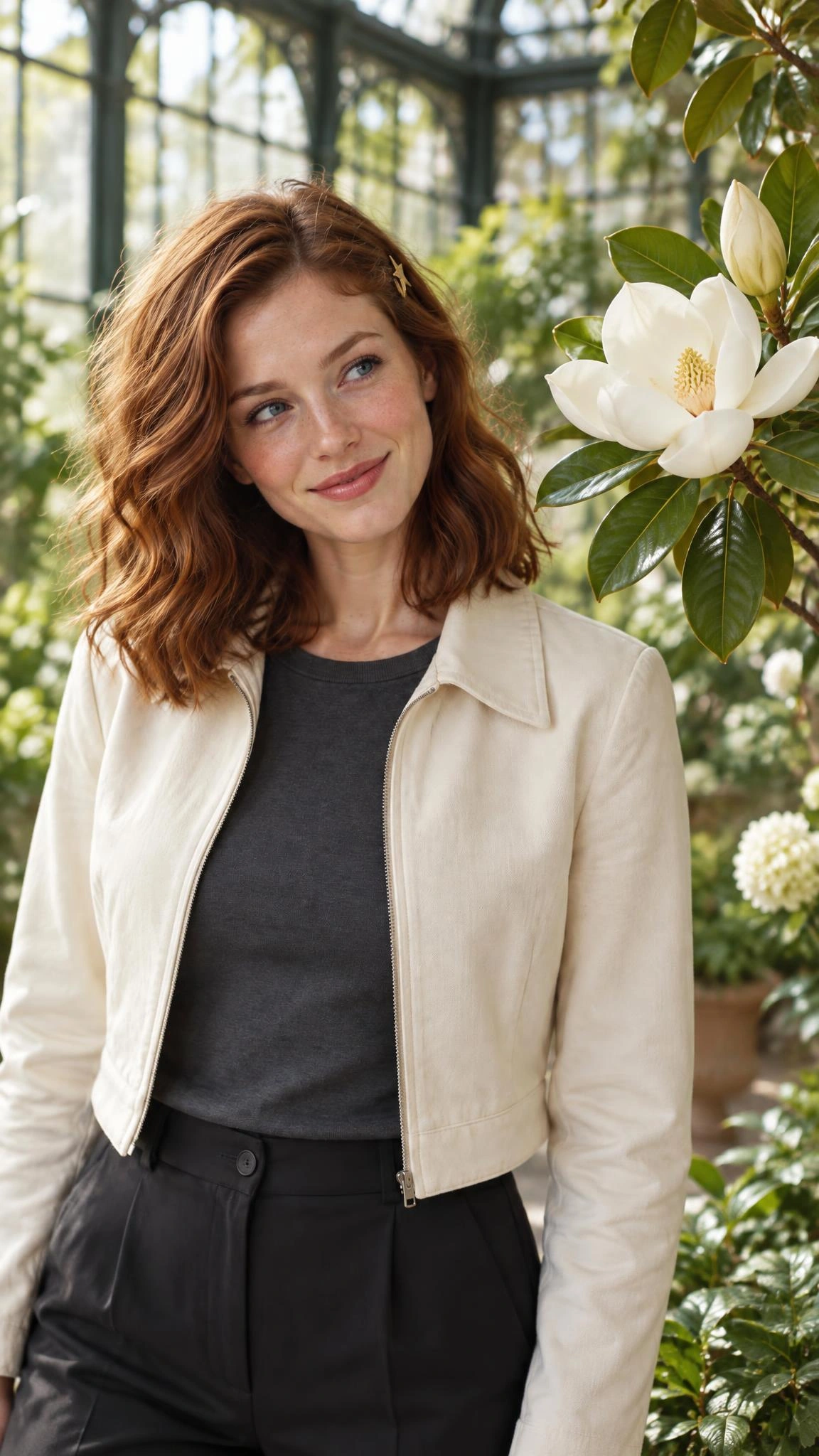
A portrait figurine starts with the features you care about, then changes how they are presented. Choose a photo with a clear face and describe recognizable details such as hairstyle, glasses, hair accessories, or clothing. Add the figurine proportions and surface texture you want. Saying to keep the curls and star-shaped hair clip communicates your goal more clearly than simply asking for something cute.

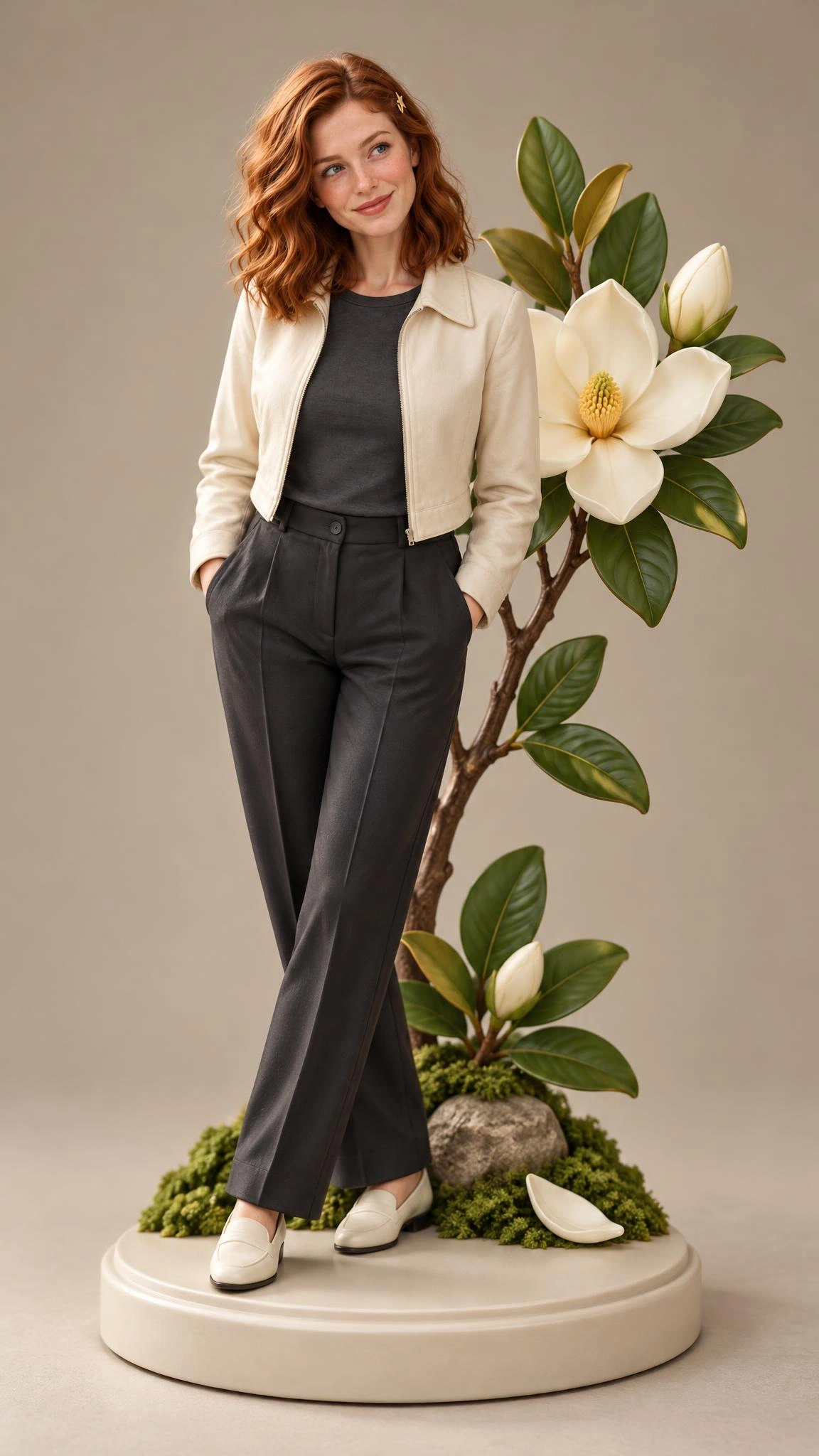
Using this greenhouse portrait as a reference, you could keep the auburn curls, star-shaped hair clip, and cream jacket, then turn the look into a matte collectible figurine with a simple base and a floral display background. The photo provides appearance cues; your description determines the material, proportions, and presentation.

If the reference shows only the upper body, describe the clothing and pose that are out of frame separately. To faithfully show a full outfit, use a photo with visible shoes, hands, and clothing outlines. This makes comparison easier than letting the image fill in the missing details.

Reference portrait of a woman with auburn curls, a star-shaped hair clip, and a cream jacket in a greenhouse
Collectible figurine with auburn curls and a star-shaped hair clip, standing on a round base

Turn your pet's signature look into a figurine

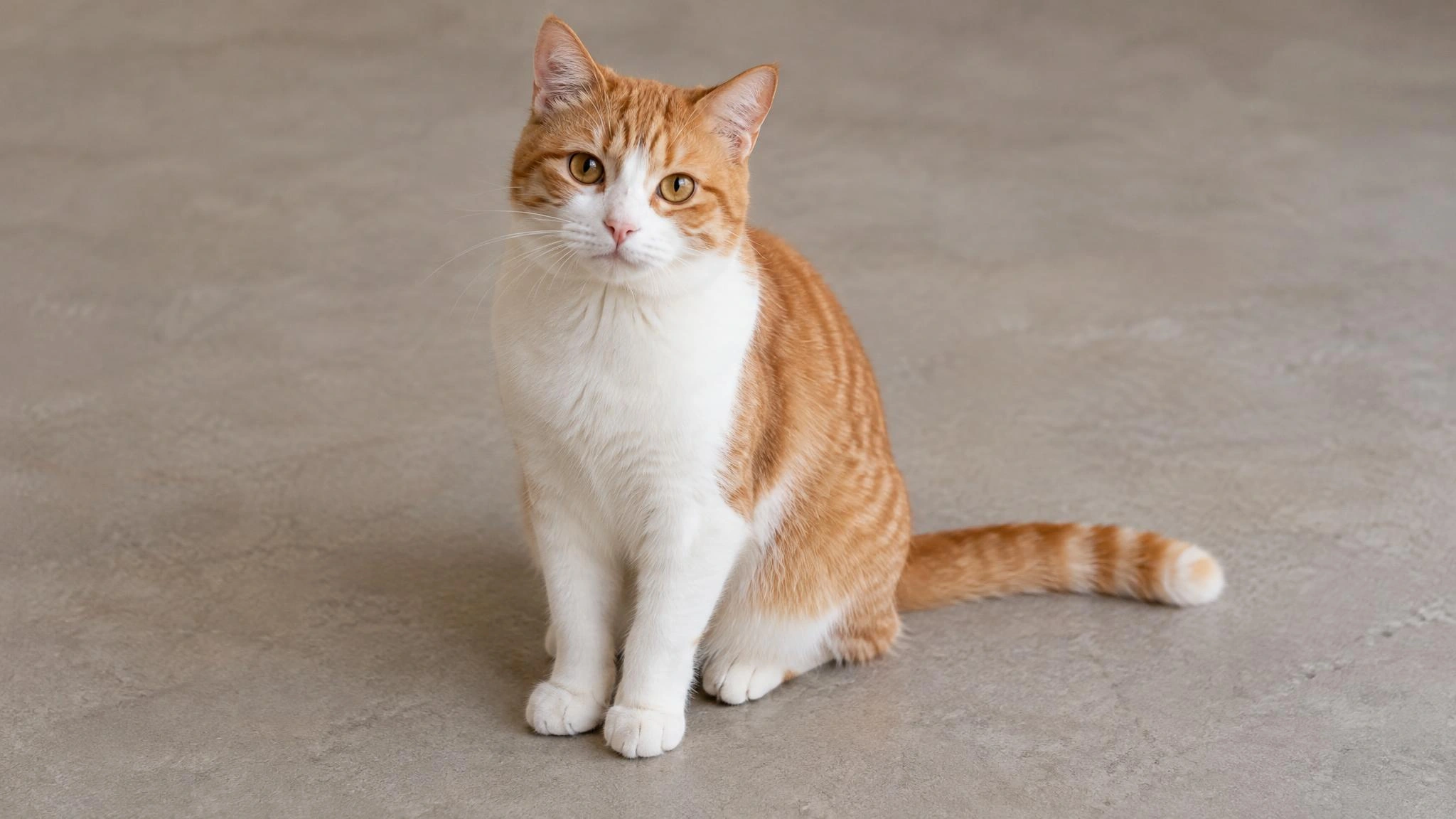
A pet figurine can start with a clear photo of a cat or dog. Pick the most recognizable details first, such as forehead markings, a white chest, ear shape, tail, or collar. Then decide whether to keep a natural sitting pose or turn it into a rounder collectible design.

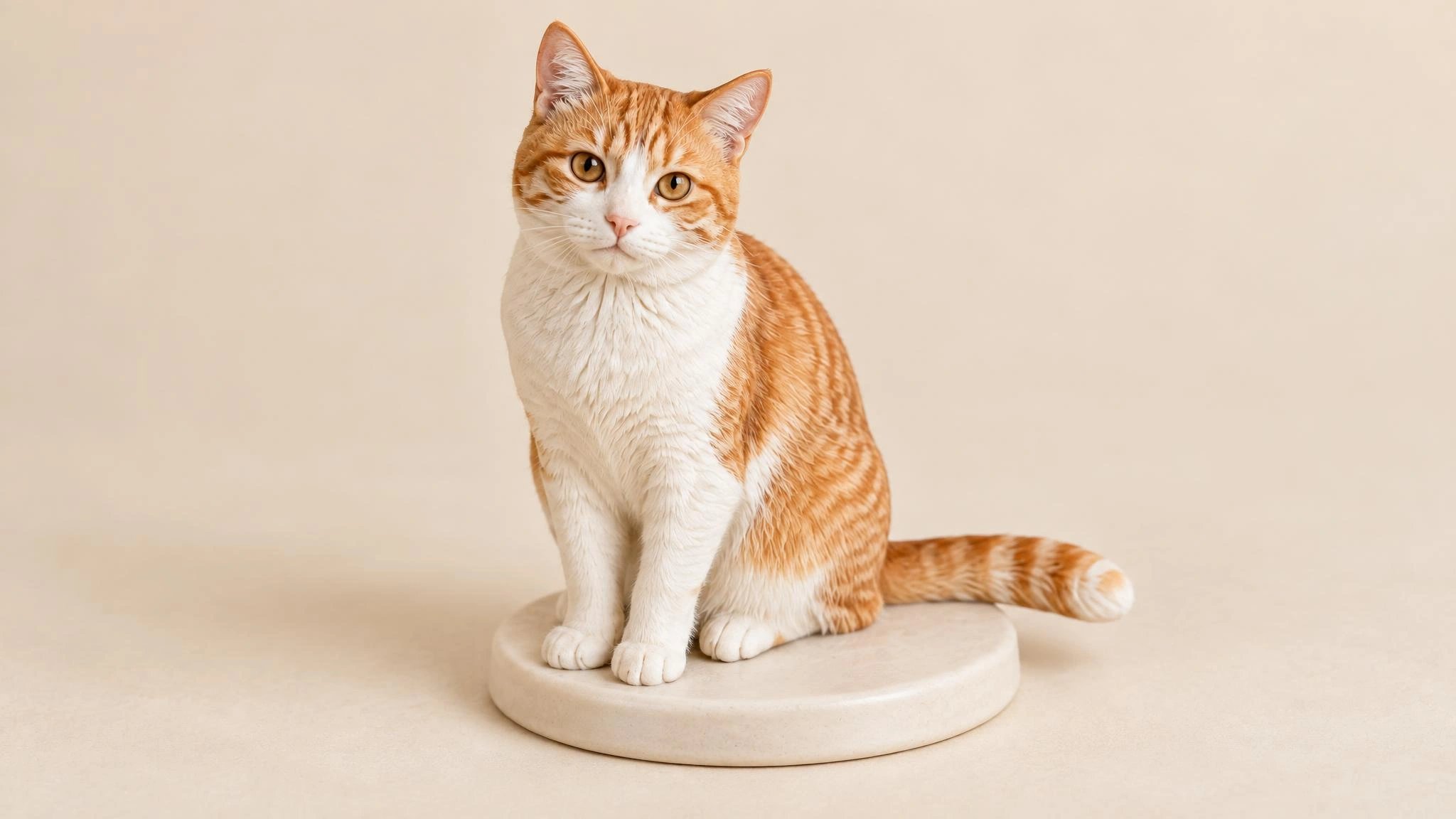
For an orange-and-white cat figurine, you could keep the white chest and orange forehead markings, then add a matte ceramic finish and a small round base. Compare the coat pattern and silhouette with the reference photo rather than judging only how cute the result looks. If a marking has moved, reference the result image and point out the area to correct.

Complete a clear design for one pet before adding a display box or setting. This makes revisions easier to identify than requesting several pets, a complex background, and many accessories at once. For a keepsake image, you can later add a familiar toy or a favorite corner.

Seated orange-and-white cat reference showing orange forehead markings and white chest fur
Ceramic-style cat figurine with orange-and-white markings, sitting on a small round base

How should you describe the look? Decide what stays and what changes

Separate your instructions into details to keep from the reference and details to redesign. The following directions and checks can help you make clearer choices. Pick a few that matter rather than fitting every style into one image.

Person or pet features

Specify the hairstyle, glasses, markings, or collar to keep. Compare their position, shape, and number with the reference after generation.

Surface material

Describe a visual texture such as matte resin, smooth ceramic, or soft felt. Check whether reflections and surface texture match your direction.

Proportions and clothing

Specify natural proportions or an oversized head, and whether to keep or replace the outfit. Check that cuffs, hands, and accessories are clearly formed.

Pose and base

Describe a standing or sitting pose and the base shape. Check where the feet or body are supported so the figure does not appear to float.

Display background and packaging

Choose a clean background, tabletop display, or boxed composition that keeps the figurine as the subject. Check any text on the box word by word.
How do you create AI figurines with OiiOii?

1. Upload a reference with clear features

Add a person or pet photo through OiiOii's image creation entry. For a person, check that the face, hairstyle, and clothing you want to keep are clear. For a pet, check the ears, markings, and body outline. If using a character illustration, choose one where the subject is easy to identify, and make sure that image is referenced when creating.

2. Describe the material and features to keep

Describe the appearance to preserve first, then the figurine design you want. For example, keep the hair clip and jacket, give the figure a matte surface, and place it on a round base. For a pet, keep the chest markings while changing it to a rounded sitting pose. Choose portrait framing for a single character or landscape framing for a character with a display background.

3. Reference the result and refine the key details

After generation, compare the figurine and reference images. Check the face or coat markings first, then the hands, feet, clothes, base, and accessories. To make changes, select or reference the result on the canvas and give a specific instruction, such as keeping the design while changing the base to a lighter color. Focus on one main revision at a time and check whether other details changed too.

4. Turn the figurine image into a video when needed

Once you have chosen the look, use the finished figurine image as an image-to-video reference. Describe an understandable action, or use a slow camera move to reveal the material and design. Explain where the character begins, what it does, and where it ends, then check continuity in accessories, limbs, and background. If you only need a still work, keep the finished image.

Take your figurine from a display into a short story

Once the figurine image is settled, a video can give the character a simple action with a clear outcome. Choose the figurine design first, then define the action so viewers can see how a still image becomes a short scene.

When planning your figurine video, describe where the character and props begin, then explain the sequence of picking up, moving, and putting down. If you only want to show the figurine's appearance, try a short sideways camera move that keeps the full silhouette in view. Describe character movement and camera movement separately; both do not need to be complex.

Review more than the opening frame. Watch from beginning to end for changes in hair accessories, coat markings, or joint design, extra props, and whether hands and feet make sensible contact. To create a moving version next, use OiiOii's image-to-video tool.

Image to Video

Make a focused comparison before choosing the final image

First ask whether the image retains the most important recognizable features. For a person, check face shape, hairstyle, and accessories. For a pet, check coat markings, ears, and tail. Then check whether the figurine is supported, the material is consistent, and the display background draws attention away from the subject. This helps separate changes to the character from changes to the presentation.

If you want a set of different looks, keep a figurine image you like as a reference for later work. Adjust the outfit, base, or background separately. Check every result: a reference image can help carry over an appearance, but it does not mean every detail will remain identical.

AI figurine FAQs

What kind of photo should I prepare for an AI figurine?

Choose a well-lit photo with a clear subject and unobstructed features. If you want to preserve the hairstyle and face, make sure those areas are sharp. To show a full outfit, use a photo where the whole outfit is visible. A pet photo should clearly show the ears, coat markings, and tail. These are suggestions for easier creation and comparison, rather than fixed upload specifications.

Can I make a figurine from a pet photo?

Yes. Use the pet photo as a reference and describe the markings, ears, collar, and pose you want to keep. Then specify the figurine's proportions, material, and base. After generation, compare the most recognizable coat areas first. If a correction is needed, reference the result and point to the specific area rather than rewriting the whole scene.

Can I change the figurine's clothes, material, and background?

You can continue requesting edits to an existing image. Select or reference the figurine image to edit, separating the character features to keep from the clothes, surface texture, base, or background to change. After editing, check the parts you wanted to preserve as well, so the new background does not distract you from changes to character details.

How can I adjust a figurine that does not resemble the photo?

First check that you used the right reference. Then turn the vague issue of resemblance into specific problems: hair that is too short, the wrong glasses shape, or altered markings on a pet's chest. Reference both the result and original image, and state what to keep and what to correct. If the original is blurry or obstructed, try a photo with clearer features.

What kind of figurine work does this page create?

The main output is a figurine-style image showing a character design, surface material, base, and display background. You can also extend the finished image into a video. A figure that looks three-dimensional in an image is still a visual work. A display image should not be treated as a delivered physical figurine or an industrial model file ready for printing.

Can I turn a finished AI figurine image into a video?

Yes. Use your chosen figurine image as an image-to-video reference, then describe character movement or camera motion. Start with a simple action such as turning the head, raising a hand, or returning a small object to its place. Check the consistency of the character's appearance and contact with objects. Available models and settings depend on the creation entry and what your account shows at the time.

Start with a photo and create a character worth collecting

Choose a person, pet, or character reference. Keep the most important visual features first, then decide on the material and display setting. Start with your first figurine image and refine the design until you like the result.