
Seedream 5.5 Is Here | Limited Time: Subscribe & Create Credit-Free for Up to 30 Days Subscribe Now

AI Manga Generator

Turn your story, script, or reference image into manga with OiiOii. Develop a character, generate connected panels, and refine the scene on an editable canvas. Start with one short sequence: a clear setup, a visible action, and a final reaction that makes the story land.

Describe your manga scene, characters, and ending.
Prefer the full creator?

AI manga that tells a connected story

A manga page needs more than attractive pictures. Each panel should change what the reader knows. Give OiiOii a short scene and describe its beats, then use the storyboard and image tools to develop those beats into a readable sequence. Keep the character reference attached as you work.

One missing key, three story beats

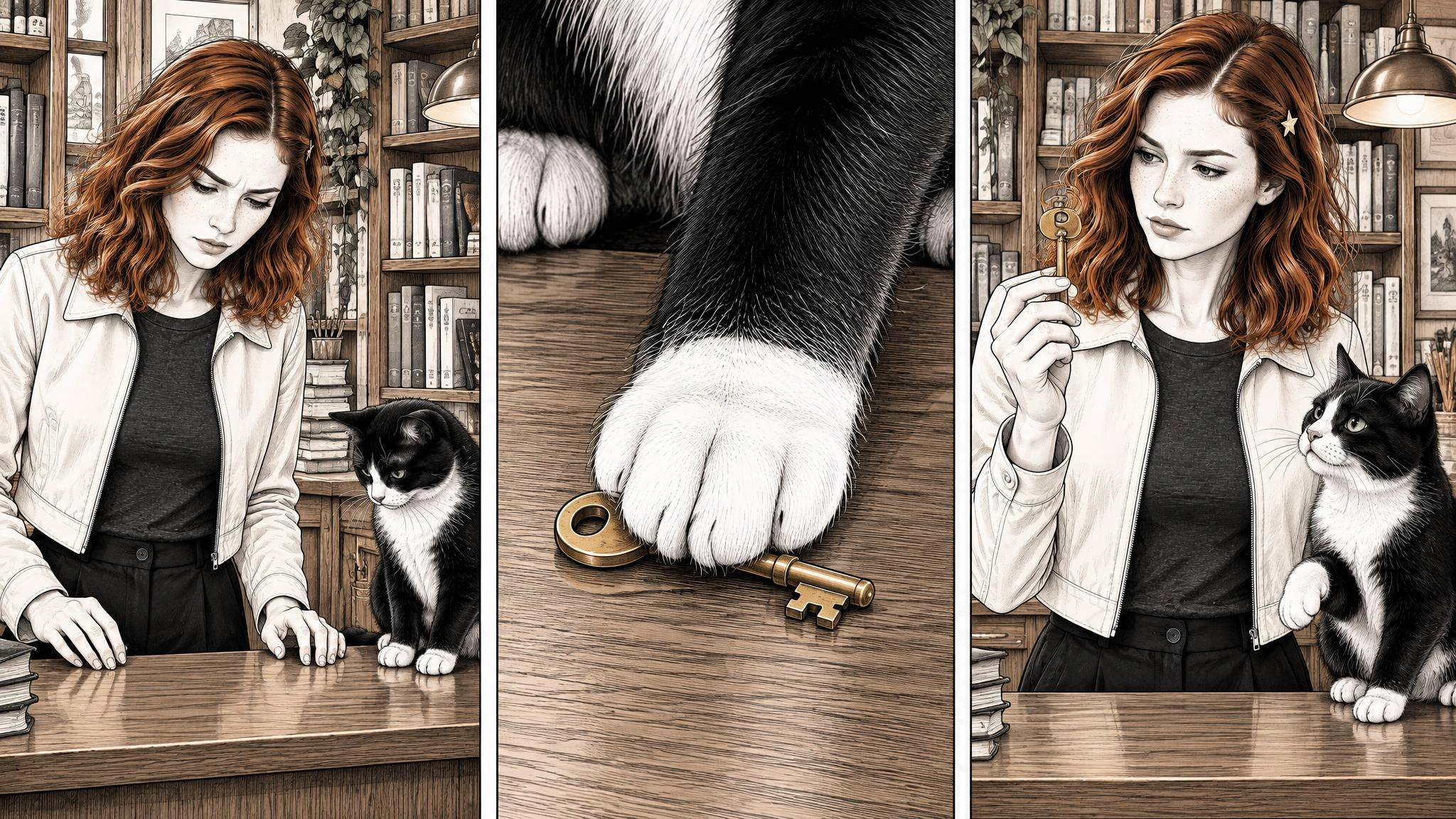
An illustrator searches a quiet bookshop for her key. A close view reveals it beneath the shop cat's paw; the final panel shows her holding it, with the cat beside her. The discovery connects the beginning and ending. Plan that connection before asking a manga panel generator for more pictures.

Three manga panels showing an illustrator finding a key under a bookshop cat's paw and holding it afterward.

Build a character you can return to

Use OiiOii as an AI manga character generator to establish a recognizable lead before expanding the story. Describe the face, hairstyle, clothing, and one distinctive detail. Save a useful character image as an asset and reference it in later panels, rather than relying on the character's name alone.

Start with photo to manga

For a photo to manga workflow, upload a reference image and describe the illustrated treatment you want: ink contours, restrained screentones, or color accents. Say which features should remain recognizable. Compare the result with the input before using it as your recurring character reference; a style change can also change facial details.

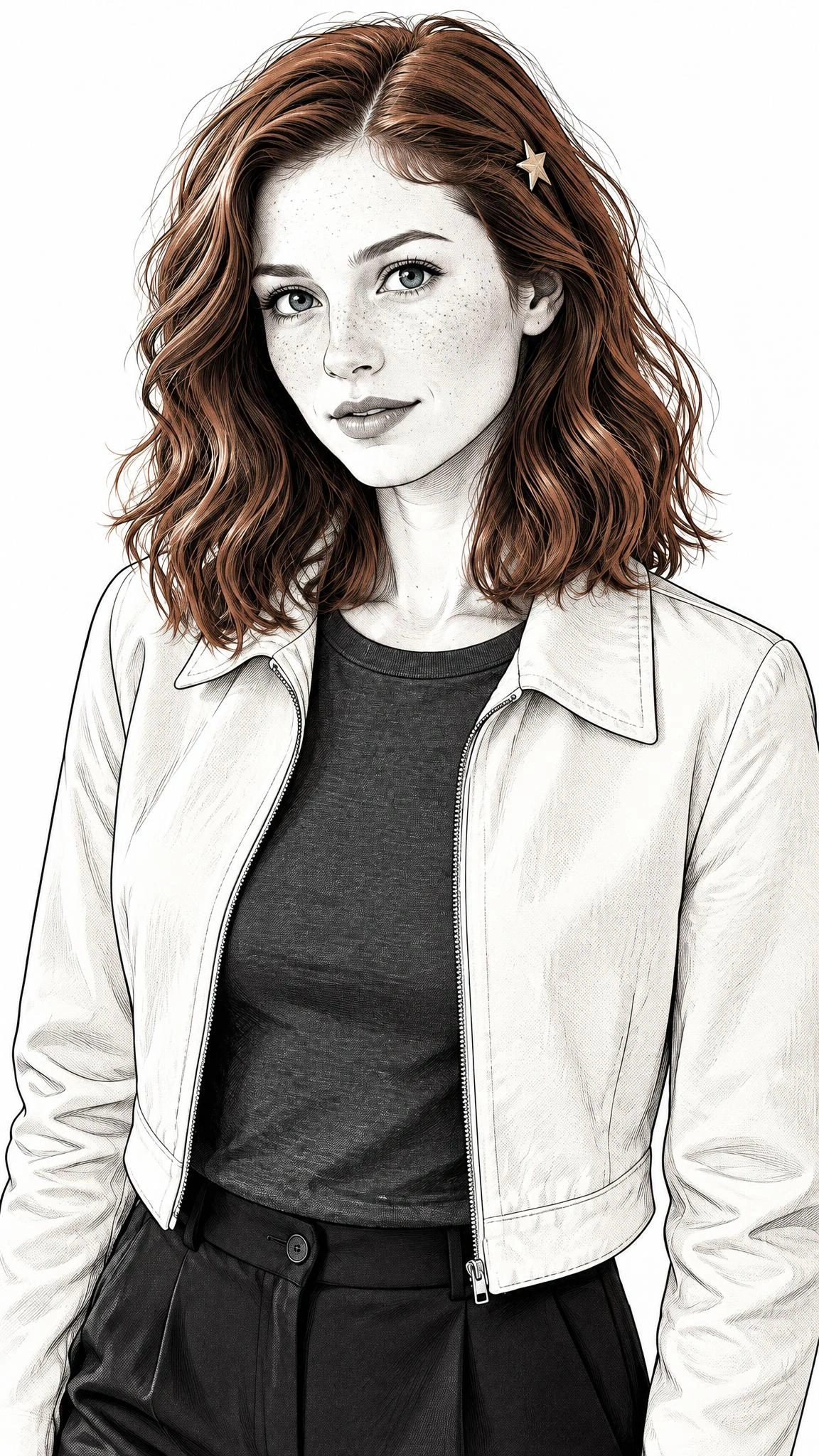
Portrait reference of an auburn-haired illustrator wearing a cream jacket and a star hair clip.
Ink-and-screentone character portrait retaining the illustrator's hairstyle, jacket, and star clip.

How to create manga with OiiOii

1. Give the Agent a scene with an ending

Open a project and describe the manga scene in the canvas conversation. Include who wants what, where the action happens, and what changes by the last panel. Ask the Agent to organize the scene into story beats. For the bookshop example, keep searching, discovering, and recovering the key as separate moments.
2. Attach the character and setting references

Upload your character image or create one from a description, then use the canvas reference controls to associate it with the scene. Record details that matter across panels: the illustrator's hair clip, jacket, and the cat's markings. Keep the bookshop reference nearby so the counter and doorway remain understandable.

3. Turn story beats into panel images

Use the storyboard or shot list to describe each view and arrange the sequence. Generate panel images with the selected references. Use a wider view to establish the shop, a close view for the hidden key, and a reaction view for the recovery. OiiOii's image composition tools can combine images into a page.

4. Edit the panel that breaks the sequence

Select the panel that needs work and ask for a specific image edit, or mark an area for local repainting. For example, change the illustrator's final expression from uncertainty to relief while retaining the key in her hand. Compare generation history and reread the neighboring panels before choosing the version to keep.

Refine the reaction without abandoning the scene

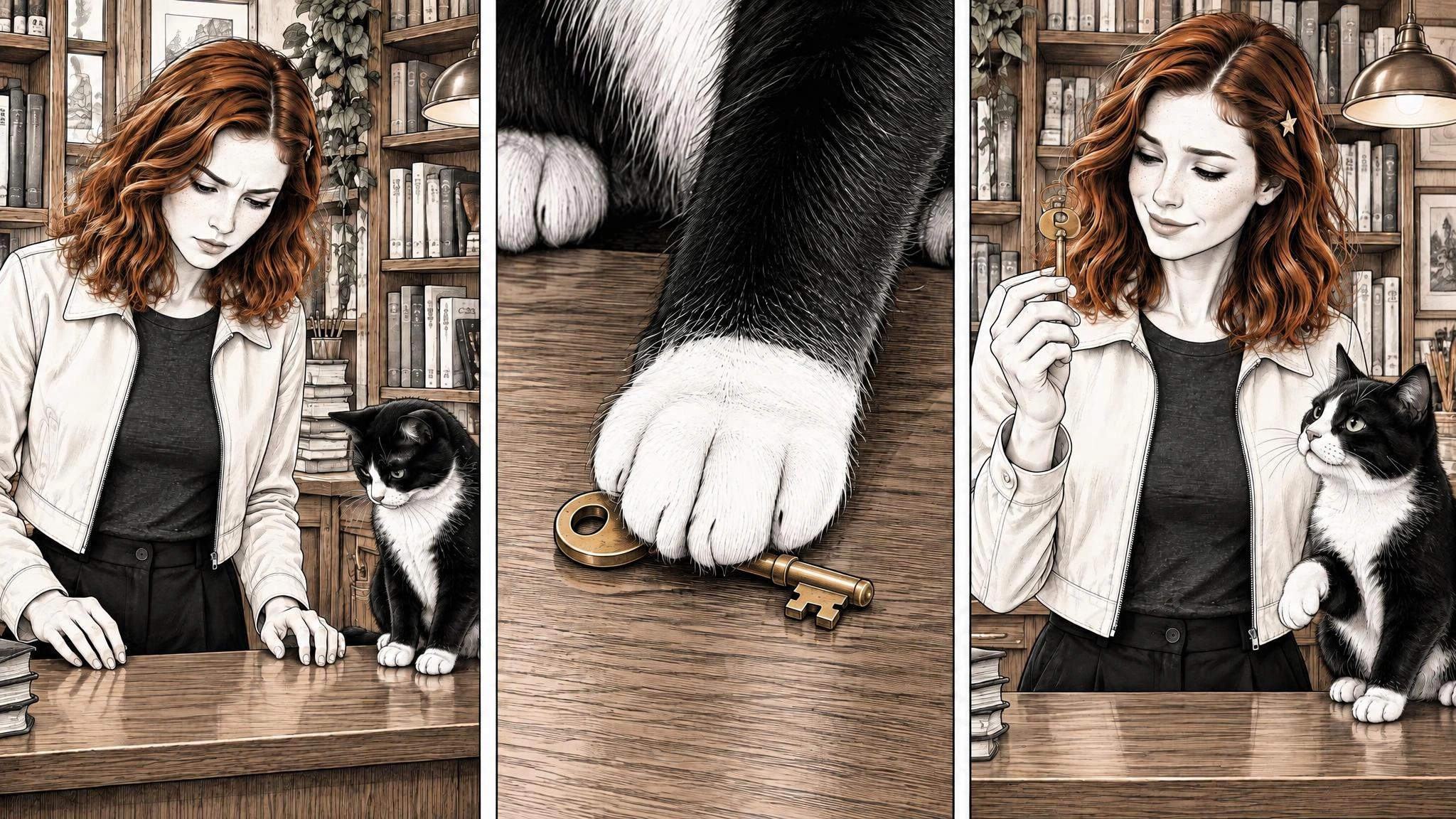
A small expression change can make a manga ending easier to read. Work from the existing page or panel, identify the face to adjust, and describe the emotional change. Check the surrounding drawing after the edit: a request to change one detail is not a guarantee that every other detail stays identical.

Three manga panels showing an illustrator finding a key under a bookshop cat's paw and holding it afterward.
Revised manga page with a relieved expression in the final panel and the recovered key still in hand.

Read the page before adding more panels

  • Reading order: The setup leads to discovery, then to the reaction.
  • Character continuity: Hair, clothing, and key features remain recognizable.
  • Object continuity: The key moves from the counter to the hand with a readable cause.
  • Dialogue and space: Any included text is readable and leaves faces and actions clear.

Use this quick check on a short sequence before expanding it into a longer chapter. Fix the missing story information first; extra detail will not explain an unclear action.

AI manga generator FAQ

What should I include in a manga scene brief?

Include the character's goal, the location, the event that changes the situation, and the ending. Add a reading direction and any essential dialogue. For a first page, keep the cast and location small enough that each panel can show a distinct part of the scene.

How can I reuse the same character across manga panels?

Save the character image and actually reference that asset in subsequent generations. Pair it with a short description of the details that should persist. If the face or outfit drifts, select the affected result for editing and compare it with the reference; references help guide continuity but do not guarantee identical results.

Can I start with my own character image?

Yes. Upload your character image as a reference and tell the Agent what to preserve and what to change. A clean view of the face and outfit is more useful than a crowded image with an obscured subject. Keep a copy of the input so you can compare the manga treatment with it.

How do I refine a manga panel without restarting the whole story?

Select the existing image on the canvas and request a focused change, such as a clearer gaze or a different expression. Use local repainting when a specific area needs attention. Review the edit alongside adjacent panels and compare history before keeping it, especially when hands, props, or character identity are involved.

Develop your lead before the next chapter

If your character is still changing between scenes, explore OiiOii Character Design to develop the reference before making more panels. A clear starting design gives you something concrete to compare against as the story grows.

Explore Character Design

Give your first scene a beginning and an ending

Bring a short story and a character idea. Build a readable manga sequence, then refine the moments that deserve a closer look.