AI Character Sheet Generator

Turn a character description or reference image into a visual character sheet with OiiOii. Bring front, side, and back views together, develop expressions, and keep the details that make your character recognizable in one reference. Start with an original idea or build on a design you already have.

Describe your character and the views you need...
Prefer the full creator?

One character, a usable visual reference

A character reference sheet generator helps you show what a character looks like beyond a single portrait. Specify the views, outfit, hairstyle, and distinctive accessories you need. The result gives illustrators, comic creators, and animation teams a shared design reference to consult when planning another pose or scene.

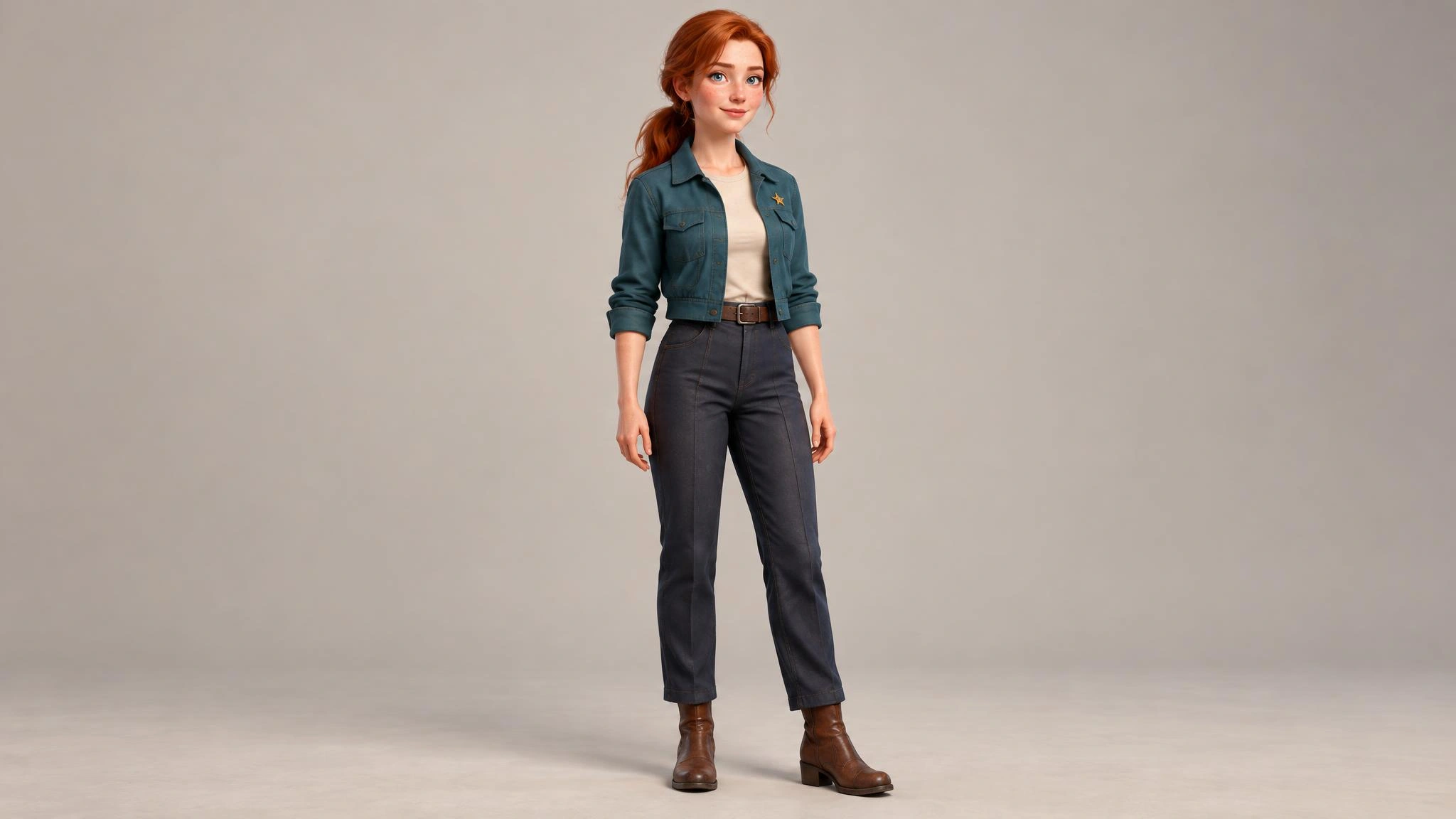
Consider an original observatory keeper with copper hair, a teal cropped jacket, and a brass star brooch. A portrait establishes her face; a sheet also shows the jacket hem, boots, and back seams. Those specific choices make the reference useful when the character turns away from the viewer.

Original observatory keeper with copper hair, a teal jacket, and a brass star brooch

Build a character turnaround you can compare

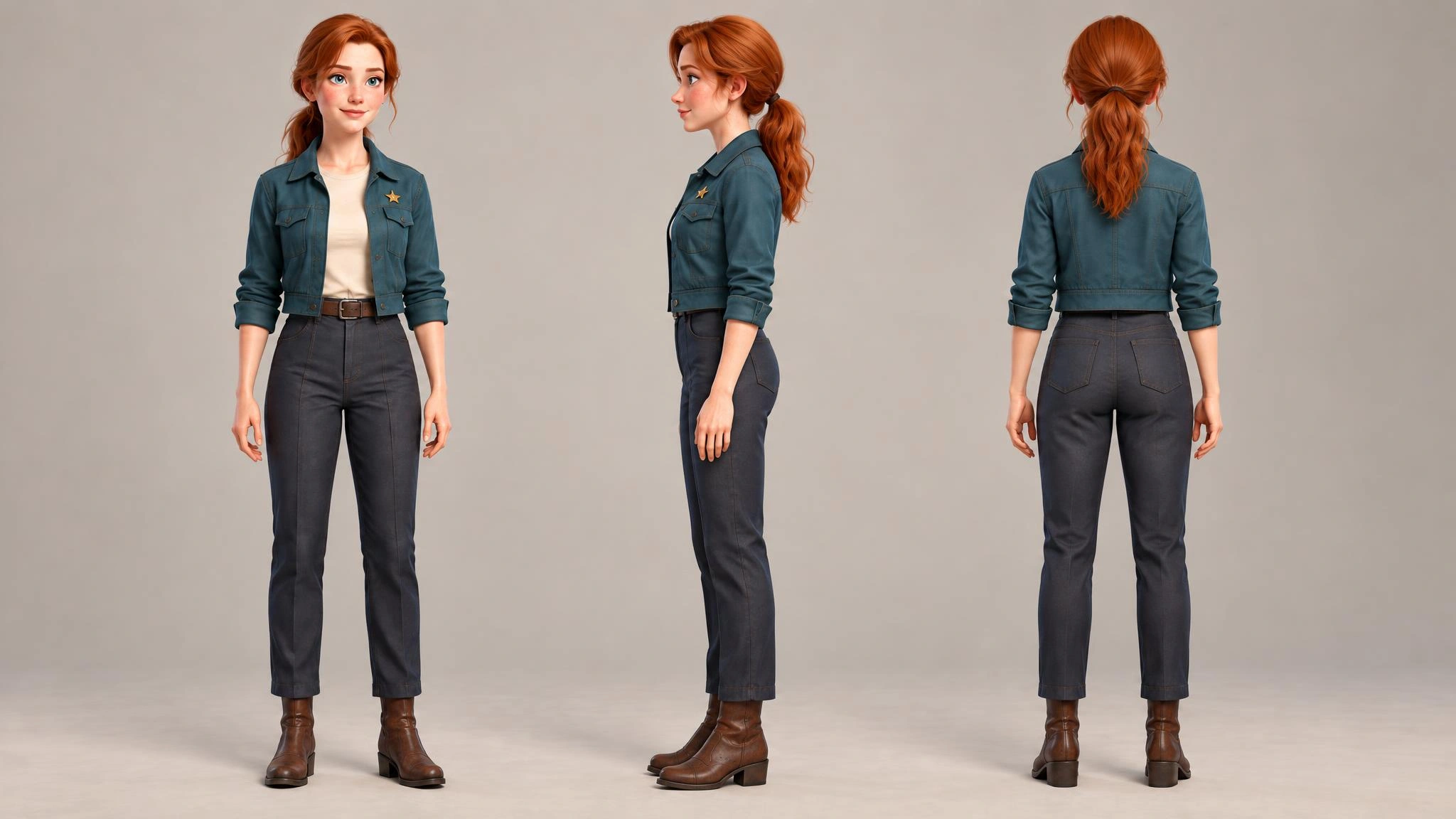
Ask for front, side, and back views with a neutral stance and a consistent scale. A simple background keeps the silhouette readable, while space between figures makes sleeves, hair length, and footwear easier to compare. Describe unseen details, such as the back of a coat, instead of leaving important design decisions unspecified.

Use the sheet as a working reference: compare face shape, shoulder width, garment seams, and accessory placement across views. If the side view changes a defining detail, reference the chosen design in Canvas and request that correction. Review the revised view alongside the others before carrying it into another scene.

Front, side, and back views of the same observatory keeper on a pale background

Add a character expression sheet

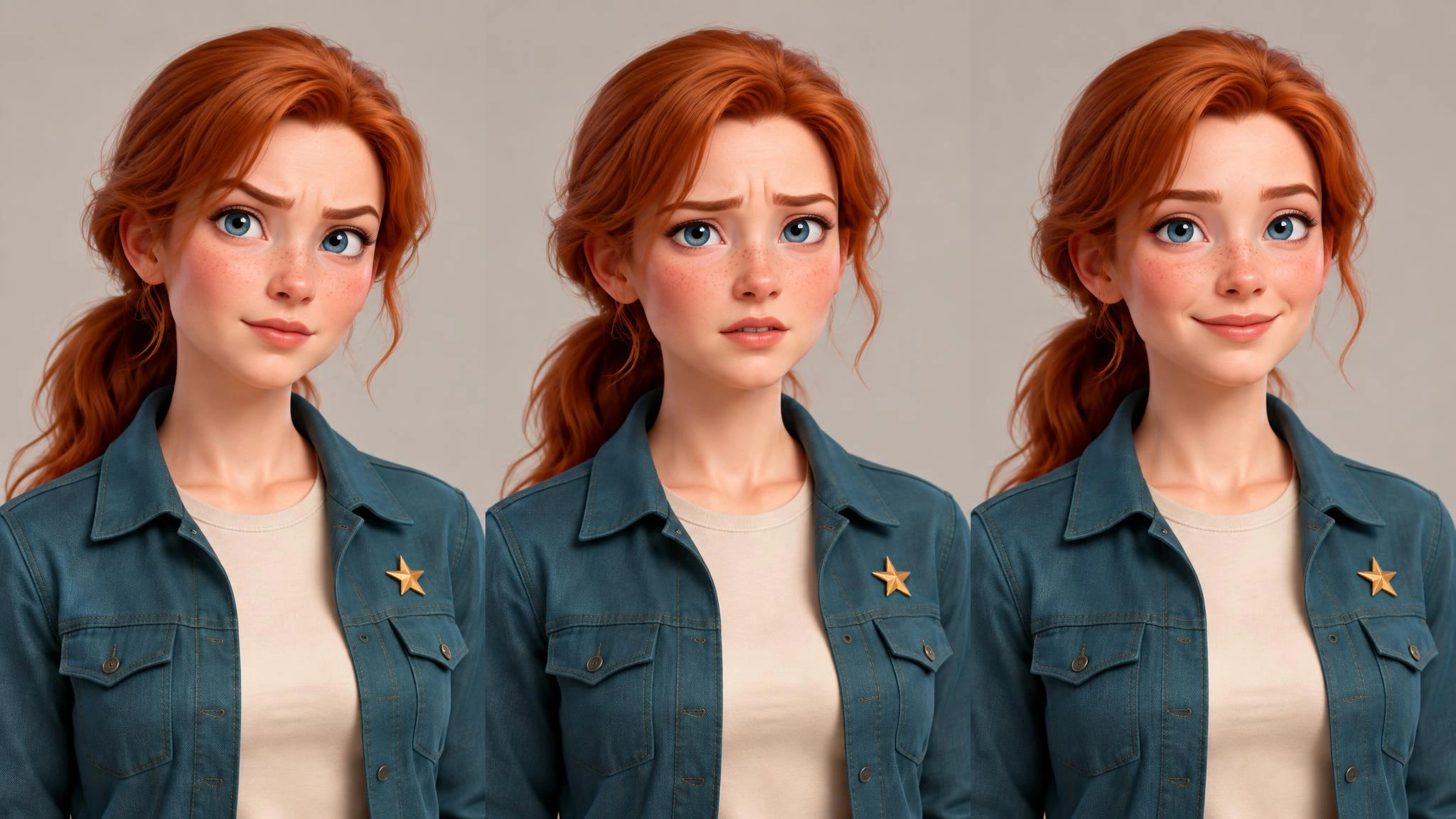
Build expressions around the same character reference rather than redesigning the face for every emotion. Request a focused set, such as curiosity, concern, and relief, while keeping the hairstyle, costume, and facial proportions consistent. Head-and-shoulders views give eyes, eyebrows, and mouth shapes enough room to communicate the difference.

Choose expressions that serve your story. For the observatory keeper, concern at a stuck telescope and relief when it moves again give the same face two clear acting directions. Keep costume details in the turnaround and emotional close-ups in the expression sheet so neither becomes too small to read.

The observatory keeper showing curiosity, concern, and relief

How to create your character sheet in OiiOii

1. Establish the character on Canvas

Upload or drag your character image onto Canvas, then reference that image in your request. Starting from text? Describe the character's face, build, hairstyle, clothing, and visual style. Use OiiOii as an AI character generator to establish a design before expanding it into additional views.

2. Request the views that reveal the design

With the chosen reference attached, ask for a character sheet showing front, side, and back views. Specify a matching scale, uncluttered background, and the details that must remain recognizable. For the keeper, name the star brooch and jacket shape, and describe the jacket back explicitly.

3. Refine expressions and mismatched details

Select the generated image and ask for the specific change you need, such as correcting a sleeve or adding a concerned expression. Keep the character reference linked to the request. Compare the edited result with your chosen design, including details outside the area you asked to change.

4. Save a reference for the next scene

Create or collect the character in Assets and give the design a clear name. If a sheet contains several panels, use image splitting to isolate the view you need. Reference the saved asset or selected image when planning a storyboard, so the next request uses the intended design.

Take the design into a scene

A sheet answers design questions; a storyboard answers what happens next. Reuse the keeper's chosen reference when asking for a telescope scene, then describe her action, framing, and surroundings separately. Compare the scene with the sheet before generating motion. This keeps character design and scene direction connected without packing every instruction into one image.

The observatory keeper focuses the telescope, looks through the eyepiece, then steps back with a smile.

Character sheet questions

Can I start from an existing character image?

Yes. Upload the image to Canvas and reference it in the generation request. A clear, unobstructed image gives you a more useful starting reference. Explain features that are hidden in the original, especially the back of clothing or accessories, when asking for additional views.

What if one view looks like a different character?

Choose the reference that best represents your intended design and request a targeted revision of the mismatched view. Name the changed feature, such as jaw shape or hair length. Check the new result against the entire sheet; references help guide continuity but do not guarantee identical details in every generation.

Is this a visual sheet or an RPG statistics sheet?

This workflow creates a visual character reference: appearance, views, expressions, and design details. A tabletop character's abilities, inventory rules, and game statistics are separate information. Include them in your own project notes if needed, while keeping the visual sheet focused on what an artist needs to see.

Keep developing your character

Explore Character Design to develop and reuse the character assets behind your sheet. Keep a clearly named reference for each approved outfit or design revision, so collaborators can tell which version a new scene should follow.

Explore Character Design

Give your next scene a clear character reference

Start with the face, outfit, and views your project needs. Build a sheet you can compare, refine, and return to as the story grows.