More resolution for detailed visuals
Choose 1080p or 4K when fine textures, product surfaces, or a carefully composed frame are central to the shot. Pro also offers 480p and 720p options.
Start with a single clip. Continue in Canvas when your idea needs a sequence.
Create shots where the details matter. Seedance 2.0 Pro offers output up to 4K on OiiOii, with room to shape the subject, lighting, action, and camera movement in your prompt.
Choose 1080p or 4K when fine textures, product surfaces, or a carefully composed frame are central to the shot. Pro also offers 480p and 720p options.
Describe what the viewer should notice, how the subject moves, and where the camera starts and ends. A deliberate reveal or a short tracking move gives each shot a purpose.
Generate an individual shot, review it, then organize your selected clips in OiiOii Canvas. Add music and voiceover as the edit takes shape.
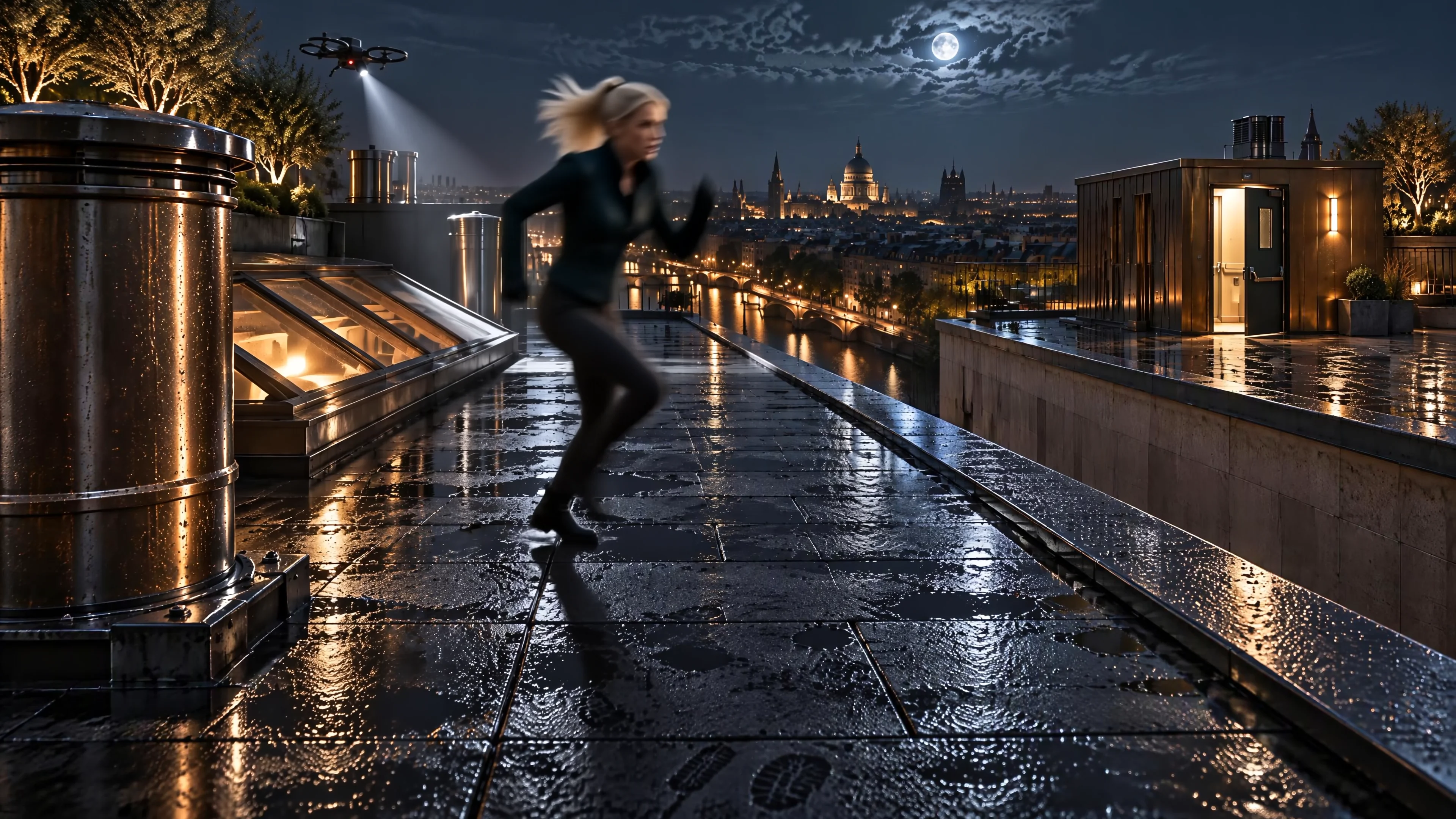
A searchlight closes in as a woman reaches a gap between rooftops. A running leap, a door, and a final cut to the retreating drone turn one escape into a short cinematic sequence.
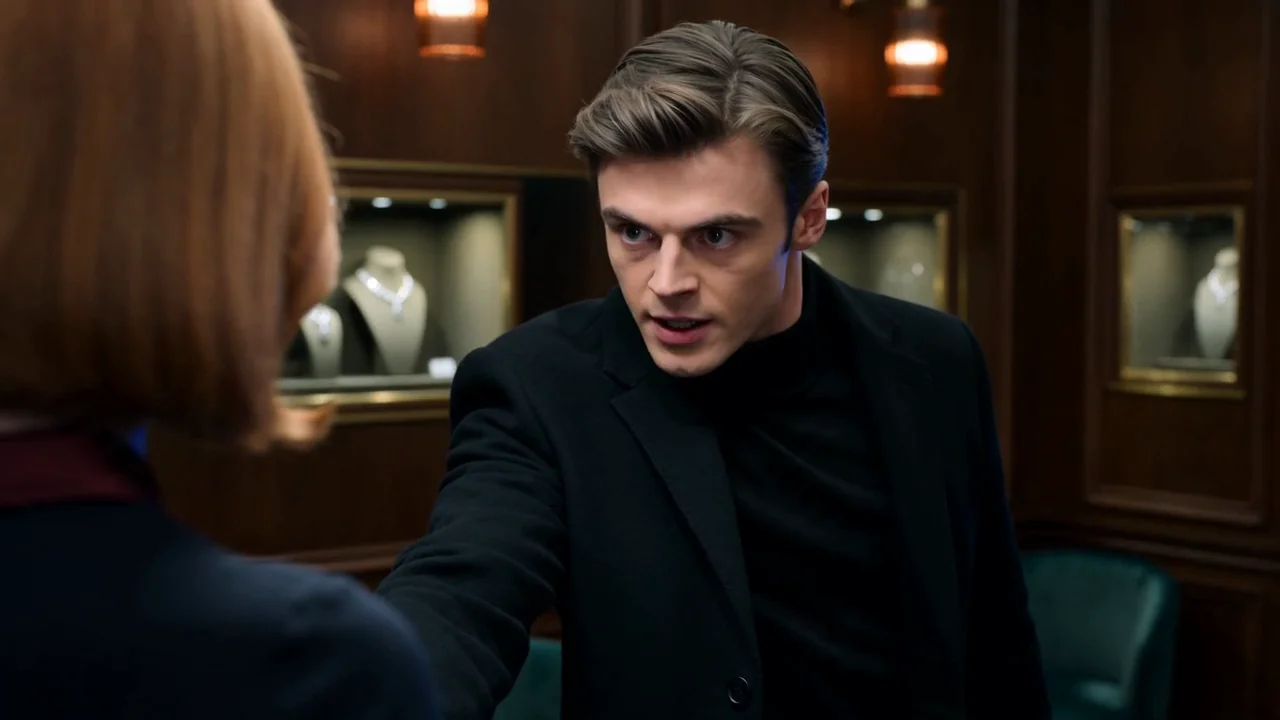
A robber demands that a woman open a jewelry box. What he finds changes the balance of power. Close details, matched eyelines, and a startled reaction carry the reveal.
Select Seedance 2.0 Pro, then set the duration, aspect ratio, and resolution for your shot.
Name the subject, action, setting, lighting, and camera movement. For a reference-led shot, explain what each supported reference should guide.
Check the result for the details that matter to your idea. Refine the next shot or bring selected clips into Canvas to build the edit.
Seedance Pro 2.0 is the Pro variant of the Seedance 2.0 family available on OiiOii. Choose it when you want 1080p or 4K output for a detailed product shot, fashion scene, or cinematic sequence.
For creators comparing Seedance 2.0 Fast vs Pro, one practical difference on OiiOii is the available output resolution. Pro offers up to 4K; Fast currently offers 480p and 720p. Visit the Seedance 2.0 overview to compare all three variants.
Yes. Pro supports a 4K output option on OiiOii. Our rooftop example uses image references at 3840 × 2160 and combines generated takes in an edit. Choose your resolution, duration, and aspect ratio, then check the actual output dimensions after generation.
Yes. Image to video starts with a reference image and a prompt describing what should stay recognizable and what should move. Tell the model whether the reference should guide the subject, setting, or visual style.
Start with the subject and one clear action. Describe the setting and light, then give the camera a starting frame, a movement, and an ending frame. Keep the action achievable within the clip, and describe any sounds you want the scene to include.
Bring your selected clips into OiiOii Canvas, arrange them into a sequence, and add music or voiceover. Building a longer edit uses the platform workflow; it does not extend the duration of a single model generation.
Choose your moment. Shape the light, movement, and detail.