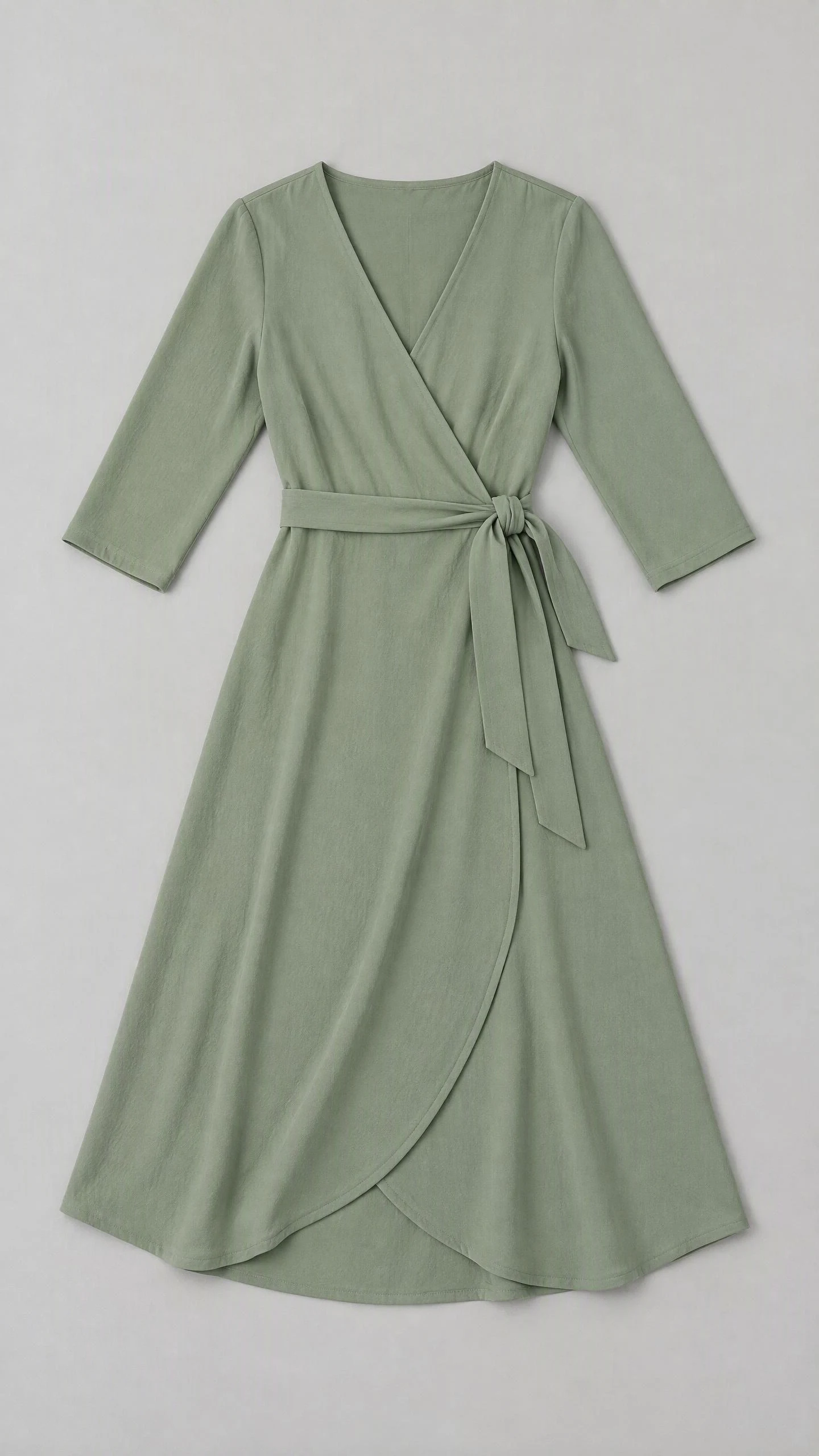
Garment source
A clear view of the wrap neckline, tie waist and overlapping skirt.
Turn your clothing photos into on-model images. Choose the person, pose and setting to build a look for your product page, collection or next campaign.
Keep the whole garment visible in your source image.
Choose the garment you want to put on a model. This AI dress model generator example starts with the sage wrap dress on the left and uses that image to create the on-model result.
A clear view of the wrap neckline, tie waist and overlapping skirt.
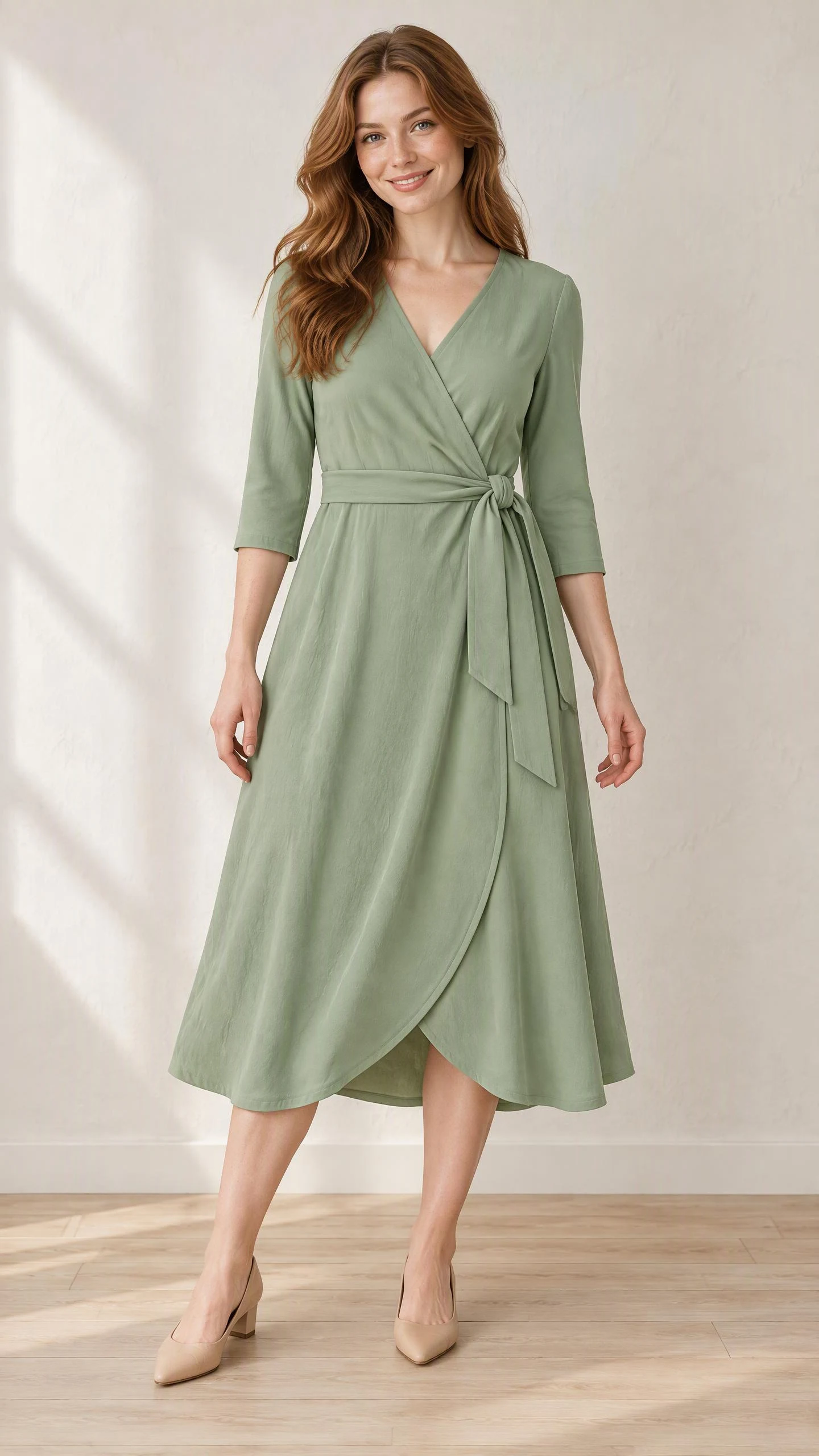
The supplied dress reference becomes a full-length studio look.
Compare the neckline, waist tie, sleeve length and hem with your source before using a result in a product listing.
Direct the pose, setting and light around your garment. Start with a clear studio view, then explore a different angle or a scene that suits your collection.
Front-facing framing keeps the wrap construction easy to see.
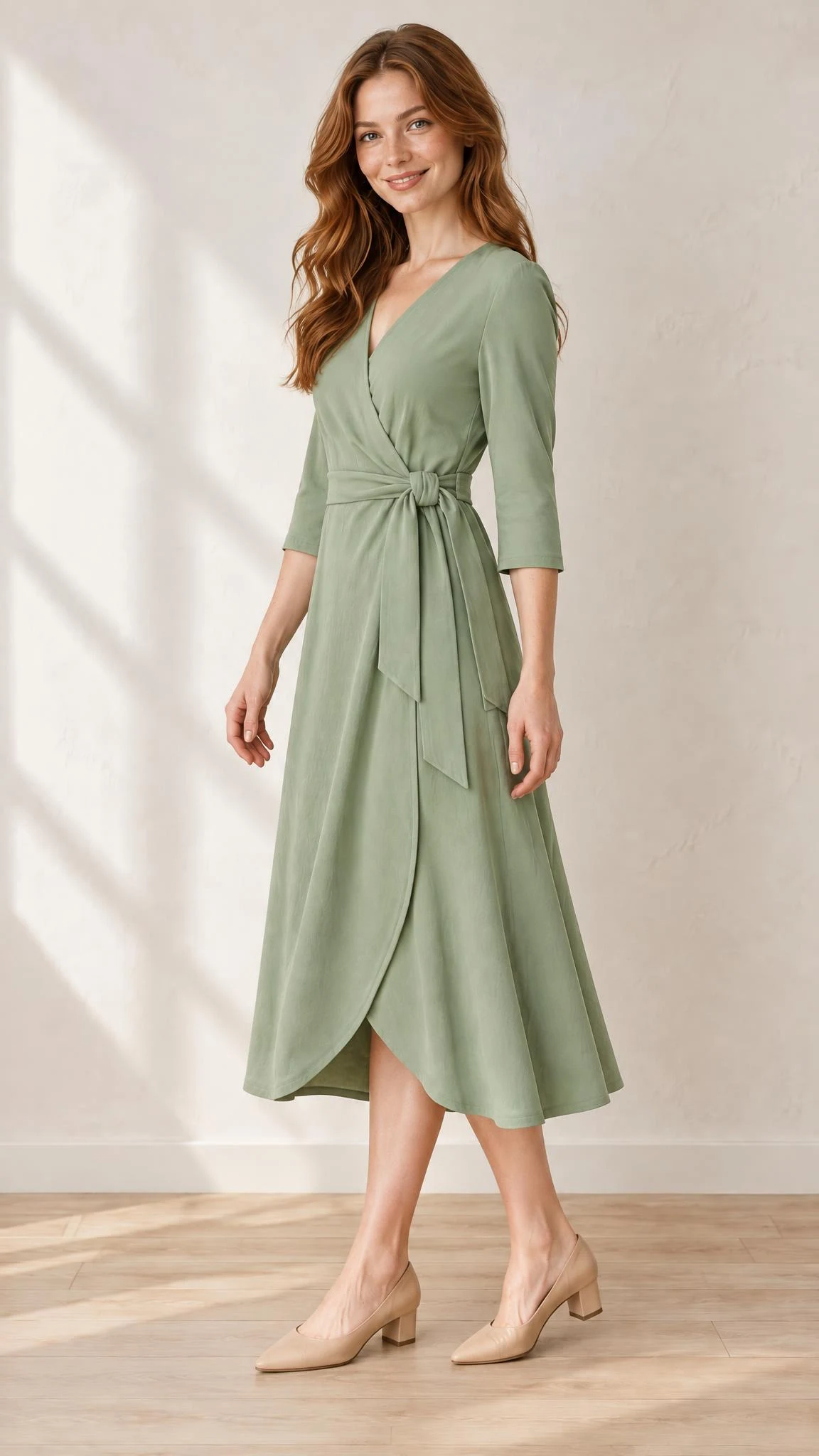
A three-quarter stance reveals the waist and skirt from another angle.
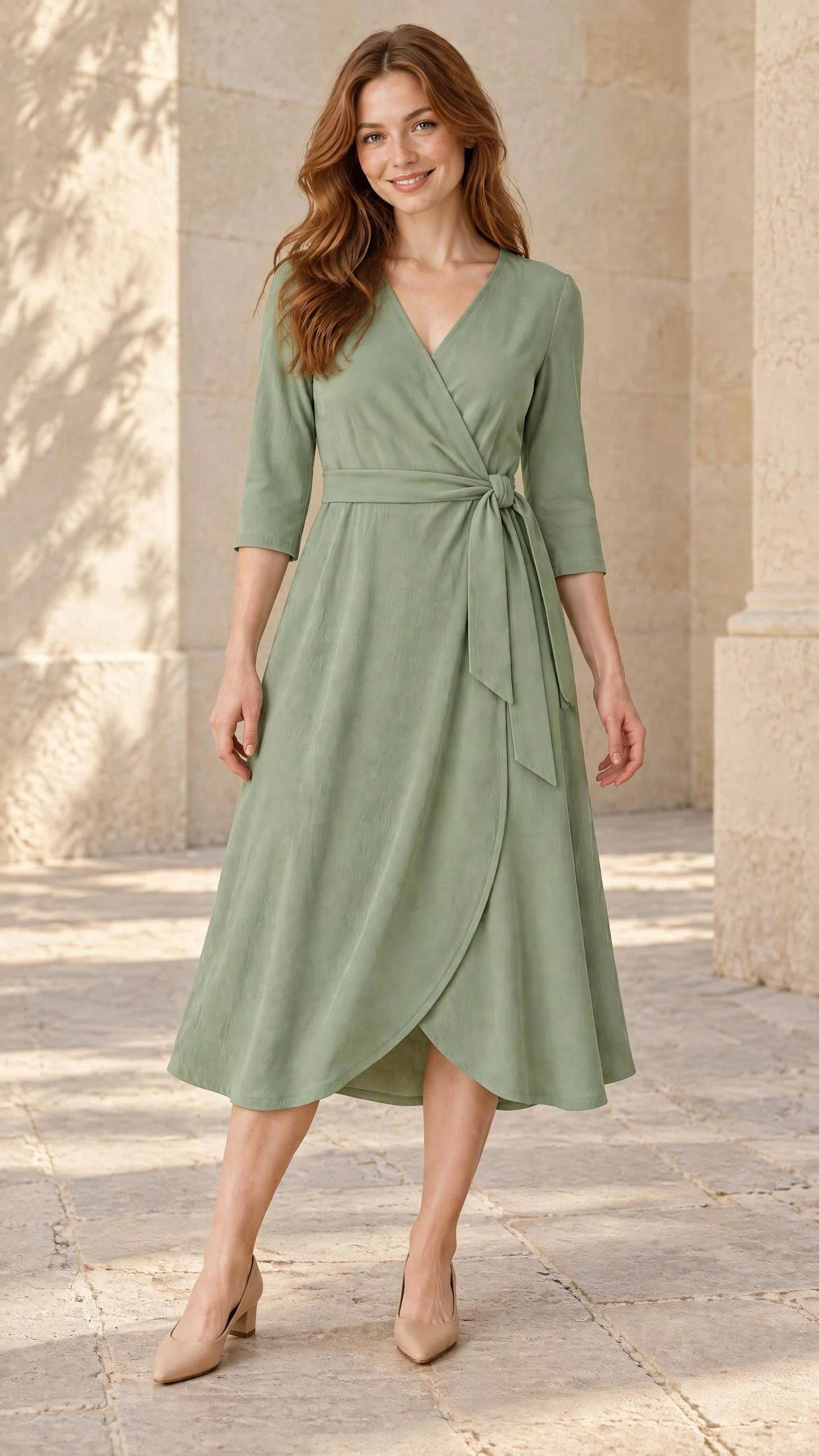
A sunlit stone courtyard gives the dress a warmer editorial mood.
For an AI model changer brief, describe the person you want and identify the garment details to keep.
Use an AI fashion photo generator to explore styling alongside your product images. The cobalt knit and ivory trousers show how texture, silhouette and a restrained palette can define a collection.
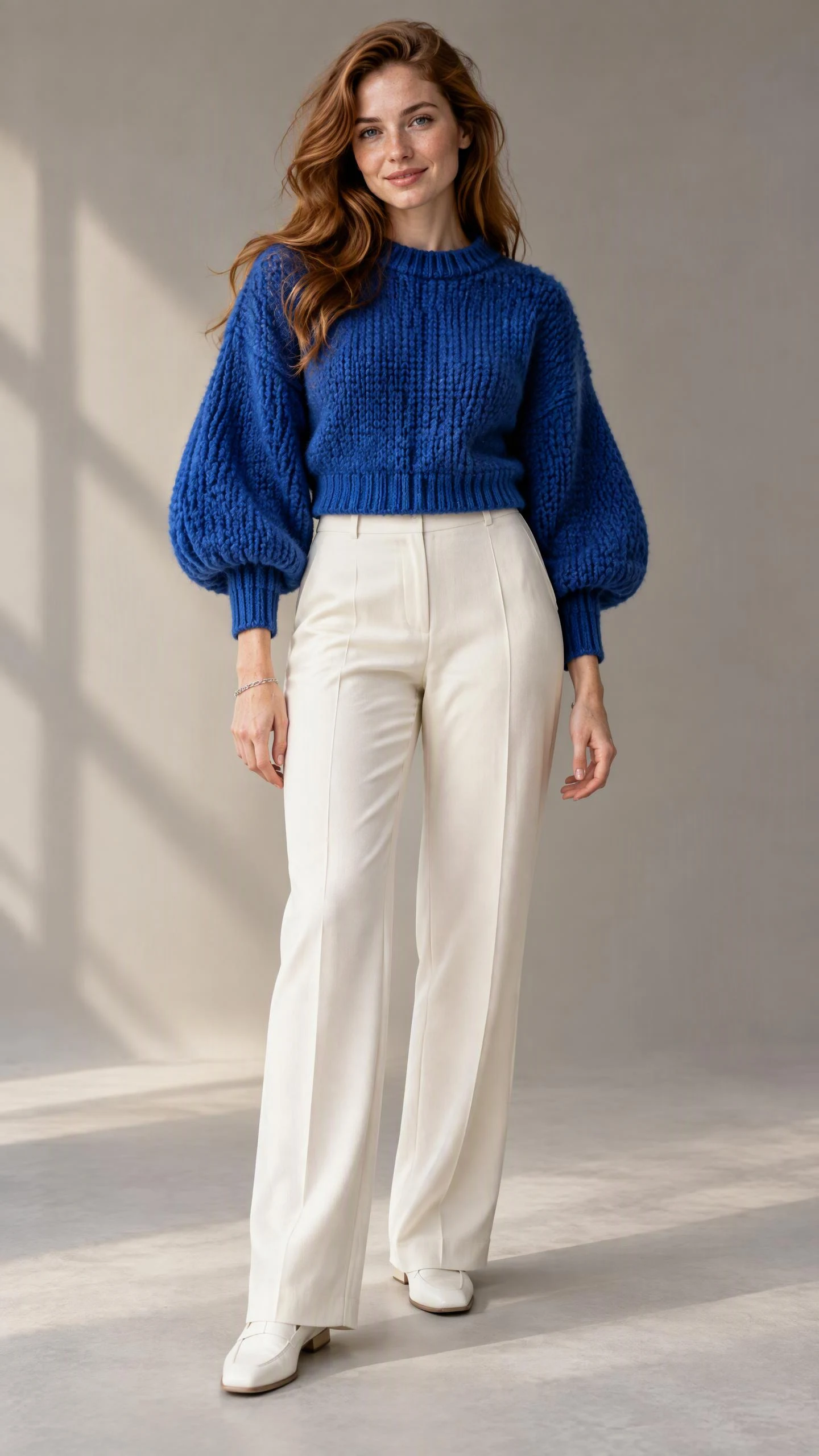
Sculpted wool sleeves contrast with the clean line of ivory trousers.
Describe your AI model for clothing with the outfit at the center: a readable pose, coordinated styling and light that reveals the fabric.
Choose a clear model view with the garment fully visible. Keep the background simple so shoppers can read the silhouette and construction.
Bring related looks together with a shared lighting direction and background palette. Compare the images side by side to choose a coherent set.
Give the garment a setting and a focal point. Use a full-length portrait for outfit-led content, or plan a wider composition with room for your campaign copy.
Upload a well-lit photo in the image input. Show the whole garment, with the neckline, sleeves and hem unobstructed.
Add the person, pose, setting and lighting you want. Refer to the garment in your uploaded image, then generate your first result.
Compare the result with your source, then adjust the brief for the next image. Keep the view that shows your garment most clearly.
Keep AI fashion prompts specific: "Use the uploaded sage wrap dress. Show an adult model standing at a three-quarter angle, arms clear of the waist, full dress in frame, soft studio light."
Looking for the best AI image generator for fashion photography? Use your own garment as the test: compare the neckline, fabric texture and hem, then choose the result that serves your intended shot.
Use a sharp, evenly lit photo that shows the whole garment. A flat lay with sleeves spread and the hem visible makes the shape easier to reference. For a wrap dress, keep the neckline, waist tie and overlapping skirt panel clear. Add a close-up when texture, buttons or a print are important.
Save the character as an Asset in OiiOii and reuse that reference for each look. Specify which features should stay the same, such as the face and hairstyle, and which garment should change. Compare the results side by side before choosing images for a collection.
Start from the on-model image you want to keep and request one change at a time. For example, ask for a three-quarter view while preserving the dress, then use the selected result to explore a courtyard setting. Name the details to retain, such as sleeve length, neckline and waist fastening.
Fine prints, thin straps and small fastenings can be reinterpreted during generation. Use a clearer reference or a close-up, identify the exact detail in your instructions, and revise the affected area. Check the output against the garment photo at full size; a full-body image alone may not show every detail.
For a product page, prioritize an unobstructed view of the garment, consistent lighting and visible construction details. For a campaign or social post, explore a more expressive pose and setting while keeping the outfit recognizable. In OiiOii, reuse the garment and model references to develop both directions from the same starting look.
Explore the image tools behind your next fashion shoot.
Add a garment photo and give your collection a face, a pose and a setting.